Maintaining optimal indoor humidity is more crucial than many homeowners realize, impacting everything from your health and comfort to the longevity of your home furnishings. In an increasingly connected world, traditional humidity monitors are evolving into sophisticated digital hygrometers that seamlessly integrate with your smart home ecosystem. These advanced devices offer real-time data, remote monitoring, and automated control, transforming how you manage your indoor climate. Choosing the right digital hygrometer for your smart home means stepping into a future where your environment actively works to keep you comfortable, healthy, and energy-efficient. This comprehensive guide will help you navigate the options and select the perfect smart hygrometer to optimize your living space.
What is a Digital Hygrometer? Why You Need One?
A digital hygrometer is an electronic device designed to measure the amount of water vapor in the air, known as relative humidity, alongside ambient temperature. Unlike older analog models, digital hygrometers provide precise, easy-to-read numerical displays and often come with advanced features. For smart homes, these devices take functionality a step further by connecting to your network, offering remote access and intelligent automation.
Monitoring humidity is vital because unbalanced levels can lead to a host of problems. Excess humidity, typically above 50%, creates an ideal breeding ground for mold, dust mites, and bacteria, which can exacerbate allergies and respiratory issues, and cause unpleasant musty odors. High moisture levels can also warp wooden furniture and flooring, damage musical instruments, and even compromise your home’s structural integrity over time. Conversely, overly dry air, usually below 30%, can cause dry skin, irritated eyes, static electricity, and increase susceptibility to colds and other respiratory infections.
Integrating a digital hygrometer into your smart home system allows for proactive environmental management. These smart sensors connect via Wi-Fi or Bluetooth, sending real-time data directly to your smartphone or smart hub. This connectivity means you can monitor conditions from anywhere, receive instant alerts if humidity falls outside your preferred range, and even automate other smart devices like humidifiers or dehumidifiers to maintain ideal levels automatically. The result is a healthier, more comfortable, and energy-efficient living space without constant manual adjustments.
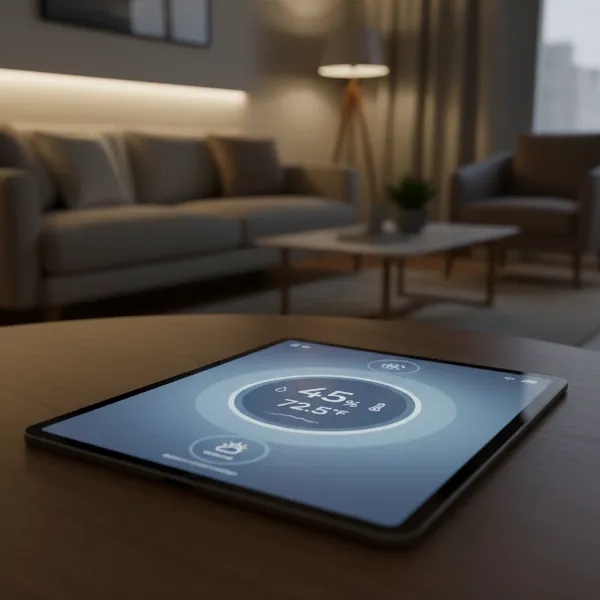 Digital hygrometer displaying temperature and humidity on a modern smart home dashboard on a tablet
Common Types of Digital Hygrometer
While the core function of measuring humidity remains the same, digital hygrometers come in various designs to suit different needs and placement preferences. For smart home integration, the focus is less on the physical form factor and more on connectivity and smart features, though physical design can still influence convenience and aesthetics.
Desktop Digital Hygrometer
Desktop models are among the most common, designed to sit on a flat surface such as a table, shelf, or counter. They typically feature a clear, often large, LCD screen that displays current temperature and humidity readings, making them easy to read at a glance. Many include additional information like time, date, or a comfort level indicator.
- Advantages: Easy to read, often come with larger displays and more integrated features like historical data viewing or comfort icons directly on the unit. Their portability within a room makes them versatile.
- Disadvantages: While portable, they are less mobile for tracking conditions across multiple locations without manual relocation. They might rely on Bluetooth, limiting remote monitoring without a dedicated hub or gateway.
|
Our Picks for the Best Digital hygrometer in 2026
As an Amazon Associate I earn from qualifying purchases.
|
||
| Num | Product | Action |
|---|---|---|
| 1 | JEDEW 4 Pack Hygrometer Thermometer Digital Humidity Meter Indoor/Outdoor Humidity Monitor Reptile Thermo-Hygrometer for Greenhouse Humidors Terrarium Jars, Fahrenheit (℉) /Celsius(℃) (4) |

|
| 2 | TempPro TP49 Digital Hygrometer Indoor Thermometer Humidity Meter Room Thermometer with Temperature and Humidity Monitor Mini Hygrometer Outdoor Thermometer (Previously ThermoPro) |
|
| 3 | TempPro TP49 3 Pieces Digital Hygrometer Indoor Thermometer Humidity Meter Mini Hygrometer with Temperature and Humidity Monitor Outdoor and Room Thermometer Weather Station (Previously ThermoPro) |
|
| 4 | TempPro TP50 Digital Hygrometer Indoor Thermometer Room Thermometer and Humidity Gauge with Temperature Humidity Monitor(Previously ThermoPro) |
|
| 5 | 6-Pack Mini Hygrometer Indoor Humidity Meter, Mini Digital Thermometer Humidity Gauge Meter, Indoor Thermometer Hygrometer Monitor Fahrenheit (℉) for Reptile Thermostat, Jars Reptile, Fridge |
|
| 6 | Govee Bluetooth Hygrometer Thermometer, Large LCD, Max/Min Records, 2-Year Data Storage - Black, 2 Pack |
|
| 7 | Mini Hygrometer Thermometer Digital Humidity Meter Indoor/Outdoor Humidity Monitor Reptile Thermometer for Greenhouse Garden Cellar Fahrenheit(℉)/ Celsius(℃) 2 Pack |
|
| 8 | TempPro TP50 2 Pieces Digital Hygrometer Indoor Thermometer Room Thermometer and Humidity Gauge with Temperature Humidity Monitor(Previously ThermoPro) |
|
| 9 | JEDEW 2 Pack Hygrometer Thermometer Digital Humidity Meter Indoor/Outdoor Humidity Monitor Reptile Thermo-Hygrometer for Greenhouse Humidors Terrarium Jars, Fahrenheit (℉) /Celsius(℃) (2) |
|
| 10 | Humidity Meter Indoor Thermometer 6-Pack Mini Digital Thermometer Hygrometer Indoor Temperature Humidity Meters Gauge LCD Display Fahrenheit (℉) for Greenhouse, Reptile Tank, Cellar, Closet |
|
Wall-Mounted Digital Hygrometer
Wall-mounted hygrometers offer a space-saving solution, designed to be affixed to a wall. These units often have a slim profile and can blend more discreetly into your home décor. Like desktop models, they prioritize clear displays for quick visual checks.
- Advantages: Saves surface space and provides a fixed, consistent monitoring point. Many are battery-powered, offering flexibility in placement without needing a power outlet nearby.
- Disadvantages: Requires a fixed installation, which might not be ideal if you need to frequently move the sensor to different areas for comparison. Aesthetics can also be a factor depending on the design.
Handheld Digital Hygrometer
Handheld hygrometers are designed for portability and on-the-go measurements. These compact devices are ideal for quickly checking humidity levels in various specific areas, such as inside a cigar humidor, a terrarium, or a specific closet that might be prone to dampness.
- Advantages: Extremely portable and versatile for spot-checking. Many smart handheld models still offer app connectivity for logging data from different locations.
- Disadvantages: Typically feature smaller screens, making them less ideal for continuous, at-a-glance monitoring in a primary living space. They might have fewer advanced features integrated into the unit itself, relying heavily on a companion app.
For smart home systems, many digital hygrometers prioritize their smart capabilities over a prominent physical display, often appearing as compact sensors that relay all information directly to an app.
Comparison Table: Best Digital Hygrometers for Smart Home Systems
Choosing the best digital hygrometer for your smart home involves weighing various features against your specific needs. Here’s a comparison of some top-rated smart-compatible models, focusing on aspects critical for smart home integration:
| Feature | Govee H5051 Wi-Fi Indoor Hygrometer | SensorPush HT.w Temperature/Humidity Smart Sensor | Meross MS100FHHK Smart Temperature and Humidity Sensor | Ideal Sciences Temp Stick Wi-Fi Humidity Sensor | X-Sense WiFi Hygrometer with Base Station |
|---|---|---|---|---|---|
| Connectivity | Wi-Fi & Bluetooth | Bluetooth (Wi-Fi via Gateway, sold separately) | HomeKit, Google Home, Alexa, SmartThings (requires Meross Hub) | Wi-Fi | Wi-Fi (via dedicated base station) |
| Accuracy (RH) | ±3% RH | ±2% RH | ±5% RH | ±4% RH | Swiss sensors, “laboratory-level” |
| Accuracy (Temp) | ±0.54°F | ±0.36°F | ±0.54°F | ±0.4°F | Highly accurate |
| Display | Digital LCD screen | No built-in display | No built-in display (solar panel on front) | No built-in display | Clear digital display on base station |
| App Features | Remote monitoring, alerts, data export, calibration | Remote monitoring, alerts, data export, custom ranges, graphs | Alerts, historical data (up to 2 years), automations | Robust alerting (text/email), unlimited data retention | Whole-home monitoring, Swiss-made sensor accuracy |
| Power Source | CR247 battery (2 years) | CR2477 coin cell battery (up to 2 years) | CR2477 battery (long life, solar assist) | 2x AA batteries (1 year) | Battery (sensors), AC (base station) |
| Special Features | Easy calibration, comfort indicator | Long Bluetooth range (325 ft), compact | Solar panel for extended battery life, compact | Cloud-based data logging, customizable alerts | Dedicated base station for multiple sensors |
| Typical Use | General home monitoring | Precise monitoring for specific areas (humidors, greenhouses) | HomeKit integration, discreet monitoring | Basements, wine cellars, storage spaces with critical needs | Whole-home comprehensive tracking |
Note: Prices vary significantly based on retailer, promotions, and bundles (e.g., multi-packs or kits with hubs).
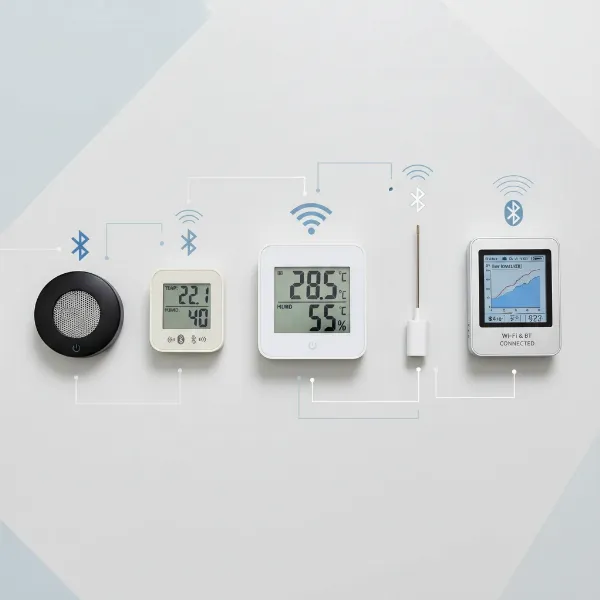 A comparison of various digital hygrometers, highlighting their connectivity and display features
How to Choose a Digital Hygrometer for Smart Home Systems (Buying Guide)
Selecting the right digital hygrometer for your smart home involves careful consideration of your specific needs, the technical aspects of the device, and your budget. With a myriad of options available, a structured approach will help you make an informed decision.
Determine Your Usage Needs
Before diving into specifications, identify where and why you need to monitor humidity. Are you concerned about mold in a damp basement, preserving valuable musical instruments in a dedicated room, optimizing comfort in a baby’s nursery, or protecting a wine cellar? Your primary usage will dictate the necessary features. For instance, a sensor for a wine cellar might prioritize high accuracy and robust alerting, while one for a living room might focus more on display aesthetics and general comfort indication. Consider if you need to track humidity in a single spot or across multiple rooms; multi-sensor systems might be more cost-effective for whole-home monitoring.
Key Factors When Choosing a Smart Digital Hygrometer
Once your needs are clear, evaluate these critical factors:
- Accuracy and Resolution: The precision of your readings is paramount. Look for models with an accuracy rating of at least ±2-3% Relative Humidity (RH) and ±0.5-1°F for temperature. Higher accuracy is often associated with Swiss-made sensors. Resolution indicates the smallest increment the device can measure (e.g., 0.1% RH).
- Connectivity and Smart Home Integration: This is where “smart” truly comes in.
- Wi-Fi: Allows for true remote monitoring from anywhere with an internet connection, often without a separate hub. Ideal for extensive smart home integration.
- Bluetooth: Provides a shorter range (typically 30-300 feet) and usually requires you to be within proximity or use a dedicated Bluetooth gateway/hub for remote access. Excellent for localized monitoring or when a Wi-Fi signal is weak.
- Smart Home Ecosystem Compatibility: Check if the hygrometer integrates with your existing smart home platform (e.g., Apple HomeKit, Amazon Alexa, Google Home, Samsung SmartThings, Tuya, Home Assistant). This enables voice control, advanced automation with other devices, and a unified control experience.
- App Quality and Data Logging: A good companion app is essential for smart hygrometers. It should offer an intuitive interface, allow you to view real-time and historical data (often charted), set custom alerts, and possibly export data for analysis. Look for apps that provide long-term data storage.
- Alerts and Automation: The ability to set custom high/low humidity and temperature thresholds, with instant notifications to your smartphone, is a key benefit. Even better is the capacity to trigger other smart devices (like a smart plug connected to a dehumidifier) automatically when these thresholds are crossed.
- Power Source and Battery Life: Most smart hygrometers are battery-powered for flexible placement. Evaluate the battery type and advertised lifespan. Some innovative models feature solar panels for extended battery life, reducing the need for frequent battery changes. Wi-Fi devices tend to consume more power than Bluetooth ones.
- Display: Decide if you need an on-device screen or if app-based monitoring is sufficient. Some prefer a quick visual check, while others prefer a discreet sensor. E-ink displays offer excellent readability and low power consumption.
- Brand Reputation and User Reviews: Research reputable brands known for quality smart home devices. User reviews can offer valuable insights into real-world performance, app stability, and customer support.
Budget Considerations
Digital hygrometers for smart home systems range widely in price. Basic Bluetooth-only models can be found for $15-$30, while advanced Wi-Fi sensors with robust features, multi-sensor capabilities, or premium accuracy can cost upwards of $50-$100 or more, especially when a dedicated hub is required. Consider the long-term value, including battery life, data retention, and the extent of smart home integration. Investing in a slightly more expensive model might save you money and hassle in the long run by providing greater accuracy, reliability, and automation capabilities.
How to Use and Maintain Your Digital Hygrometer
Proper usage and maintenance are key to ensuring your digital hygrometer provides accurate and reliable readings over its lifespan, especially when integrated into a smart home system.
Proper Placement for Optimal Readings
The location of your hygrometer significantly impacts its accuracy. To get the most representative readings of your indoor environment, follow these guidelines:
- Central Location: Place the hygrometer in the center of the room you wish to monitor, away from external influences.
- Avoid Extremes: Keep it away from direct sunlight, heating vents, air conditioning units, windows, doors, and drafty areas. These spots can provide skewed readings due as they are subject to rapid temperature and humidity fluctuations.
- Level Surface: If it’s a desktop model, ensure it’s on a stable, flat surface. For wall-mounted versions, place it at eye level in an unobtrusive spot.
- Specific Environments: In specialized environments like a humidor or greenhouse, place the sensor away from direct contact with humidification devices or water sprays to prevent false highs. For multiple sensors in a large area, distribute them evenly.
General Maintenance Tips
Digital hygrometers are generally low-maintenance, but a few simple practices can extend their life and accuracy:
- Clean Regularly: Gently wipe the exterior of the device with a soft, dry cloth to remove dust and debris. Avoid using harsh chemicals or abrasive cleaners, which can damage the sensors or display.
- Battery Management: For battery-powered units, replace batteries promptly when the low-battery indicator appears. Use high-quality batteries to ensure consistent performance. Some smart hygrometers offer battery life monitoring through their app, allowing you to anticipate changes.
- Avoid Moisture Contact: While they measure moisture, most hygrometers are not waterproof. Prevent direct contact with liquids.
- Software Updates: For smart hygrometers, regularly check the companion app for firmware updates. Manufacturers often release updates that improve accuracy, add features, or enhance connectivity.
- Calibration: Even the best digital hygrometers can drift over time. Regular calibration (see the next section) is the most critical maintenance step to ensure continued accuracy.
By adhering to these simple usage and maintenance practices, your digital hygrometer will remain a reliable guardian of your home’s climate, ensuring your smart home system operates on precise, trustworthy data.
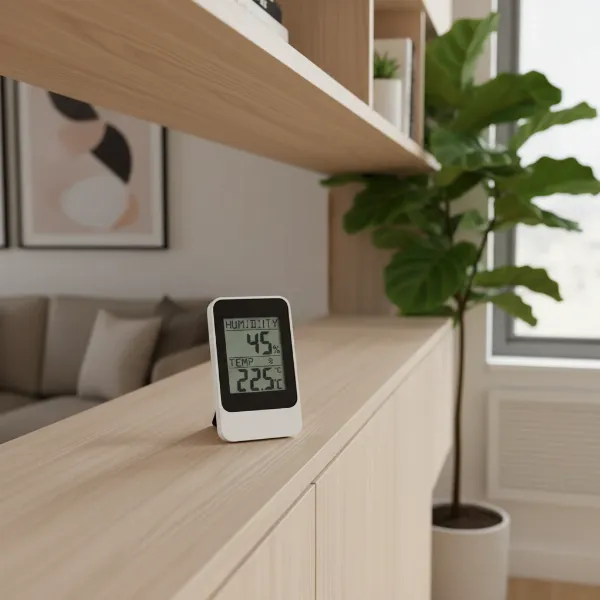 A digital hygrometer placed on a wooden shelf in a modern living room, demonstrating ideal placement away from windows
Common Issues and How to Fix Them
Even with proper care, digital hygrometers can sometimes encounter issues. Understanding common problems and their solutions can save you time and ensure your smart home system continues to receive accurate humidity data.
Inaccurate Readings
One of the most frequent concerns is when a hygrometer appears to provide incorrect or inconsistent readings.
- Cause: This can be due to sensor drift over time, poor placement, low battery, or environmental interference.
- Fix:
- Check Placement: Ensure the device is not near heat sources, air conditioners, direct sunlight, or drafts. Relocate it to a more central, stable part of the room.
- Replace Batteries: Low battery power can affect sensor performance. Replace old batteries with fresh ones.
- Calibrate: Perform a salt test calibration (detailed below) to reset the hygrometer’s accuracy. Many devices allow for a manual offset adjustment via the unit or its app if the readings are consistently off by a certain percentage.
- Environmental Factors: Consider if recent activities like showering, cooking, or extreme outdoor weather could be temporarily influencing readings.
Connectivity Problems (Bluetooth/Wi-Fi)
Smart hygrometers rely on stable connections to deliver data to your phone or smart home hub.
- Cause: Out-of-range issues for Bluetooth, weak Wi-Fi signal, router interference, or outdated firmware.
- Fix:
- For Bluetooth Devices: Move your smartphone closer to the hygrometer, or if using a hub, ensure the hub is within the device’s Bluetooth range. Check that Bluetooth is enabled on your phone.
- For Wi-Fi Devices: Verify your Wi-Fi network is active and the signal strength is adequate in the hygrometer’s location. Try restarting your Wi-Fi router. Ensure the hygrometer is connected to the correct network (2.4 GHz usually).
- App & Firmware Updates: Make sure both the hygrometer’s app and its firmware are updated to the latest versions.
- Re-pairing: If problems persist, try unpairing and then re-pairing the device with its app or smart home system.
Display Malfunctions (if applicable)
If your hygrometer has a screen and it’s blank, dim, or showing unusual characters.
- Cause: Low battery, physical damage, or a software glitch.
- Fix:
- Check Battery: The most common reason for a blank or dim display is a low battery. Replace it.
- Restart: If battery replacement doesn’t work, some devices have a reset button (often a small pinhole) that can resolve software glitches.
- Contact Support: If the display remains problematic after these steps, it might indicate a hardware fault, and you should contact the manufacturer’s customer support.
How to Calibrate a Digital Hygrometer (Salt Test Method)
Hygrometers can lose accuracy over time, making periodic calibration essential. The “salt test” is a widely recognized and accurate method you can perform at home:
- Materials: You’ll need table salt, a small bottle cap or dish, water, and an airtight container (like a zip-top bag or a sealed plastic box).
- Prepare Solution: Mix two tablespoons of plain table salt with just enough water (about one tablespoon) in the small cap or dish to create a thick, paste-like consistency. The salt should be wet but not dissolved or soupy.
- Seal It Up: Place the salt solution (in its cap) and your digital hygrometer inside the airtight container. Ensure the hygrometer does not touch the salt solution.
- Wait: Seal the container completely. Leave it undisturbed for at least 6-8 hours, or ideally 24-48 hours. During this time, the saturated salt solution creates a stable environment with a relative humidity of precisely 75% inside the sealed container.
- Calibrate: After the waiting period, check the reading on your hygrometer without opening the container. It should read 75% RH.
- If it reads 75%: Your hygrometer is accurate.
- If it reads differently: Note the difference. For example, if it reads 70%, it’s off by -5%. If it reads 80%, it’s off by +5%. Many smart hygrometers allow you to input an offset (e.g., “+5” or “-5”) through their app or device settings to correct future readings. If your device doesn’t have this feature, simply remember the offset when reading the humidity.
It’s recommended to calibrate your hygrometer at least once every 6-12 months, or more frequently if it’s exposed to extreme conditions or if you suspect inaccurate readings. Regular calibration ensures your smart home’s humidity data remains reliable, allowing for effective environmental control and peace of mind.
Conclusion
Embracing a digital hygrometer for your smart home system is a forward-thinking step toward a healthier, more comfortable, and energy-efficient living environment. These devices move beyond simple measurement, offering real-time insights, remote control, and powerful automation capabilities that integrate seamlessly with your existing smart devices. By understanding what a digital hygrometer is, exploring the best models designed for smart home systems, and following a practical buying guide, you can confidently select a device that meets your unique needs. Regular maintenance, including periodic calibration, ensures that your humidity monitoring remains precise, allowing your smart home to actively manage your indoor climate with unparalleled accuracy. Investing in the right smart hygrometer isn’t just about tracking numbers; it’s about taking proactive control over your home’s atmosphere and enhancing your overall well-being.
What aspects of smart home humidity control are you most excited to implement in your own space?
Frequently Asked Questions
What is the ideal indoor humidity level for a home?
The ideal indoor humidity level typically ranges between 30% and 50% relative humidity. Maintaining this balance helps prevent issues like mold growth and dust mites (above 50%) while avoiding dry air symptoms such as irritated skin and respiratory discomfort (below 30%). Smart hygrometers can help you achieve and maintain these optimal conditions automatically.
Can a digital hygrometer integrate with popular smart home platforms like Alexa or Google Home?
Yes, many advanced digital hygrometers are designed to integrate with popular smart home platforms such as Amazon Alexa, Google Home, and Apple HomeKit. This compatibility allows for voice control, remote monitoring, and the ability to create automated routines where the hygrometer can trigger other smart devices, like humidifiers or dehumidifiers, based on humidity levels.
Do all smart digital hygrometers require a separate hub?
No, not all smart digital hygrometers require a separate hub. Many Wi-Fi enabled hygrometers connect directly to your home’s Wi-Fi network, providing remote access without an additional hub. However, some Bluetooth-only models might require a dedicated gateway or hub to enable remote monitoring and integration with broader smart home ecosystems.
How often should I calibrate my digital hygrometer?
It is generally recommended to calibrate your digital hygrometer every 6 to 12 months to ensure its accuracy. However, if the device is used in environments with extreme temperature or humidity fluctuations, or if you notice inconsistent readings, more frequent calibration (e.g., every three months) may be necessary to maintain reliable data.
Can smart hygrometers help save energy?
Yes, smart hygrometers can contribute to energy savings. By accurately monitoring humidity, they allow your smart home system to optimize the operation of HVAC systems, humidifiers, and dehumidifiers. For instance, instead of over-cooling to reduce perceived humidity, your smart system can trigger a dehumidifier, leading to more efficient energy use and lower utility bills.