For any wine enthusiast, the allure of a perfectly aged bottle is undeniable. Yet, achieving this pinnacle of flavor and complexity hinges on more than just time; it demands meticulous environmental control. While temperature often takes center stage, humidity is an equally vital, yet frequently overlooked, guardian of your precious wine collection. Without precise humidity levels, corks can dry out, labels can peel, and the wine itself risks premature oxidation. This is where a high-quality digital hygrometer becomes an indispensable tool. It provides the crucial insights needed to maintain the optimal conditions within your wine cellar vault, ensuring every bottle matures gracefully and preserves its intended character. This comprehensive guide will explore why humidity matters, what to look for in the best digital hygrometers, and how to effectively use them to protect your liquid investments.
What is a Digital Hygrometer and Why is it Essential for Your Wine Cellar?
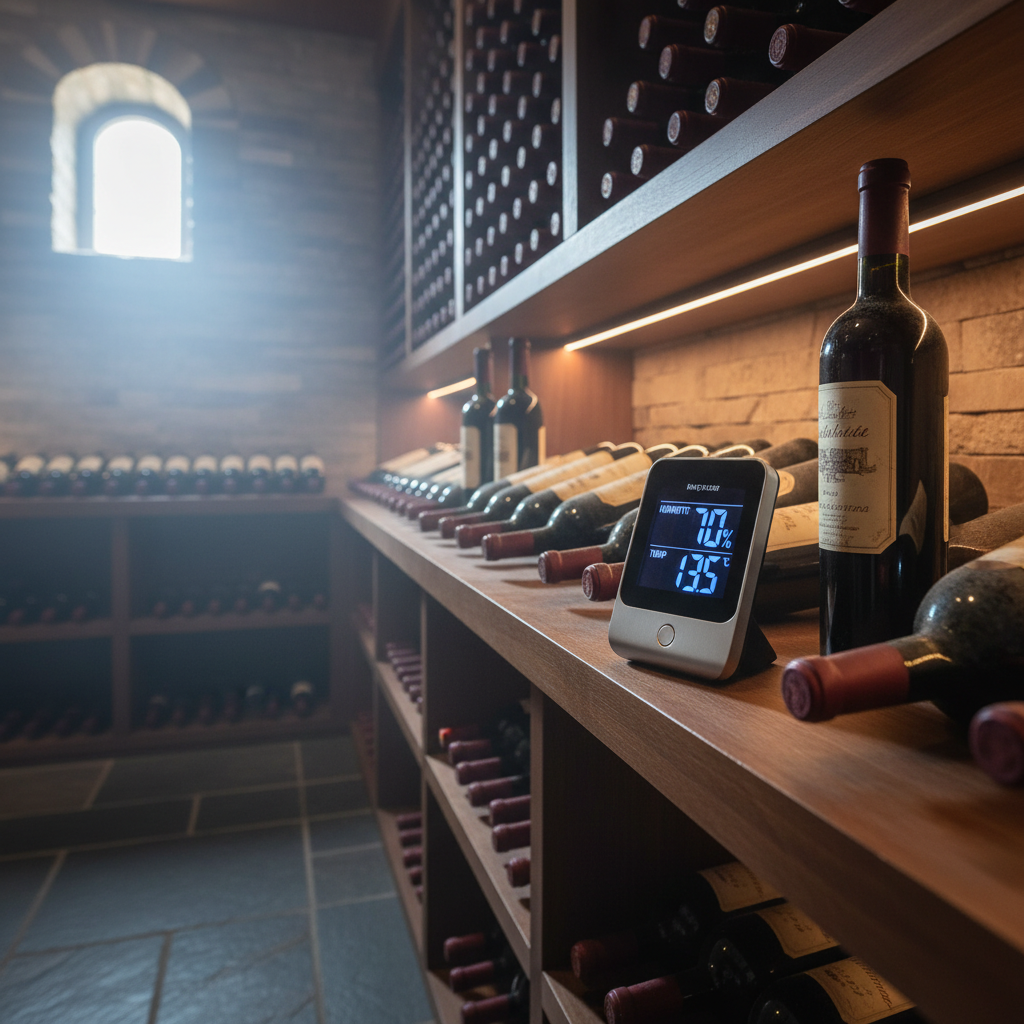
A digital hygrometer is an electronic device designed to measure the amount of water vapor in the air, expressed as relative humidity (RH), alongside temperature. For wine cellars, these devices are indispensable for monitoring the microclimate that directly impacts your wine’s longevity and quality. They typically use electronic sensors to detect changes in moisture and temperature, displaying the readings on a clear digital screen.
Maintaining the correct humidity levels is paramount for several reasons within a wine cellar. Primarily, it safeguards the integrity of the corks. Corks are natural materials that require moisture to remain supple and create a tight seal. If the humidity drops too low (typically below 50%), corks can dry out, shrink, and crack, allowing oxygen to seep into the bottle. This exposure to oxygen can lead to oxidation, causing the wine to age prematurely and develop undesirable flavors. Conversely, excessively high humidity (above 70-80%) can foster mold growth on corks, labels, and wooden racking, though it rarely affects the wine inside if the bottles are properly sealed. Beyond corks, humidity protects the wine labels, preventing them from peeling, bubbling, tearing, or discoloring, which is crucial for collectors. The ideal relative humidity for long-term wine storage is generally between 50% and 70%, with many experts citing 60-70% as optimal, alongside a stable temperature range of 55-60°F (12-15°C).
Types of Digital Hygrometers for Wine Cellars
Digital hygrometers come in various forms, each suited to different preferences and cellar setups. Understanding the distinctions can help you choose the best device for your specific wine storage needs.
Tabletop Digital Hygrometers
|
Our Picks for the Best Digital hygrometer in 2026
As an Amazon Associate I earn from qualifying purchases.
|
||
| Num | Product | Action |
|---|---|---|
| 1 | TempPro TP49 Digital Hygrometer Indoor Thermometer Humidity Meter Room Thermometer with Temperature and Humidity Monitor Mini Hygrometer Outdoor Thermometer (Previously ThermoPro) |

|
| 2 | TempPro TP49 3 Pieces Digital Hygrometer Indoor Thermometer Humidity Meter Mini Hygrometer with Temperature and Humidity Monitor Outdoor and Room Thermometer Weather Station (Previously ThermoPro) |
|
| 3 | Govee Bluetooth Hygrometer Thermometer, Large LCD, Max/Min Records, 2-Year Data Storage - Black, 2 Pack |
|
| 4 | JEDEW 4 Pack Hygrometer Thermometer Digital Humidity Meter Indoor/Outdoor Humidity Monitor Reptile Thermo-Hygrometer for Greenhouse Humidors Terrarium Jars, Fahrenheit (℉) /Celsius(℃) (4) |
|
| 5 | TempPro TP50 Digital Hygrometer Indoor Thermometer Room Thermometer and Humidity Gauge with Temperature Humidity Monitor(Previously ThermoPro) |
|
| 6 | Humidity Meter Indoor Thermometer 6-Pack Mini Digital Thermometer Hygrometer Indoor Temperature Humidity Meters Gauge LCD Display Fahrenheit (℉) for Greenhouse, Reptile Tank, Cellar, Closet |
|
| 7 | JEDEW 2 Pack Hygrometer Thermometer Digital Humidity Meter Indoor/Outdoor Humidity Monitor Reptile Thermo-Hygrometer for Greenhouse Humidors Terrarium Jars, Fahrenheit (℉) /Celsius(℃) (2) |
|
| 8 | 6-Pack Mini Hygrometer Indoor Humidity Meter, Mini Digital Thermometer Humidity Gauge Meter, Indoor Thermometer Hygrometer Monitor Fahrenheit (℉) for Reptile Thermostat, Jars Reptile, Fridge |
|
| 9 | Mini Hygrometer Thermometer Digital Humidity Meter Indoor/Outdoor Humidity Monitor Reptile Thermometer for Greenhouse Garden Cellar Fahrenheit(℉)/ Celsius(℃) 2 Pack |
|
| 10 | TempPro TP50 2 Pieces Digital Hygrometer Indoor Thermometer Room Thermometer and Humidity Gauge with Temperature Humidity Monitor(Previously ThermoPro) |
|
Tabletop models are a popular and straightforward choice, offering convenience and a range of features. Their primary advantage is ease of use; simply place them on a shelf or surface within your wine cellar, and they immediately begin monitoring. Many come with large, easy-to-read displays, often showing both temperature and humidity simultaneously, sometimes with additional features like comfort level indicators or high/low records. While generally accurate and user-friendly, their main drawback is their lack of mobility once placed, meaning you’ll need to physically check the device for readings.
Wall-Mounted Digital Hygrometers
Designed to save space and offer discreet monitoring, wall-mounted digital hygrometers are ideal for cellars where surface area is at a premium. These devices can be affixed to walls or racking, providing at-a-glance readings without obstructing bottles or décor. They often blend seamlessly into the cellar environment and are a good option for consistent, fixed-point monitoring. However, like tabletop models, they require you to be physically present in the cellar to check the readings, and their fixed position makes them less versatile for monitoring different spots.
Smart/Wireless Digital Hygrometers
For the tech-savvy wine collector, smart or wireless digital hygrometers offer advanced monitoring capabilities. These devices typically connect via Bluetooth or Wi-Fi to a smartphone app, allowing for real-time remote monitoring, data logging, and alerts. This means you can check your cellar’s conditions from anywhere, receiving notifications if temperature or humidity deviates from your set parameters. Many smart hygrometers also record historical data, providing valuable insights into environmental trends over time. While offering unparalleled convenience and peace of mind, smart hygrometers are generally more expensive and rely on app functionality and network connectivity. Some models may also have a larger footprint or lack an on-device display, requiring reliance on your smart device.
Comparison Table: Top Digital Hygrometers for Wine Cellars
Selecting the right digital hygrometer involves weighing accuracy, features, and user experience. Here’s a comparison of some of the leading models popular for wine cellar environments:
| Feature | ThermoPro TP49/TP50 | ThermoPro TP55 Jumbo Touchscreen | Govee Bluetooth/WiFi Hygrometer | AcuRite 00613 Digital Hygrometer | JEDEW Two-Pack Mini Hygrometers |
|---|---|---|---|---|---|
| Accuracy (RH) | ±2-3% | ±2-3% | ±3% (typical) | ±5% (typical) | ±5% (typical) |
| Accuracy (Temp) | ±1°F / ±0.5°C | ±1°F / ±0.5°C | ±0.5°F / ±0.3°C (typical) | ±1°F / ±0.5°C | ±1.8°F / ±1°C |
| Key Features | Fast refresh (10s), Comfort indicator, Tabletop/Magnetic | Large touchscreen, Backlight, High/Low records, Fast refresh (10s) | Remote monitoring (app), Data logging, Alerts, Magnetic/Wall mount | Versatile mounting, Daily high/low, Compact | Compact, Portable, Budget-friendly, No advanced features |
| Connectivity | None | None | Bluetooth/Wi-Fi | None | None |
| Display | Clear LCD | Jumbo Touchscreen with backlight | App-based (some models no display) | Clear LCD | Small LCD |
| Battery Life | Up to 18 months | Varies with backlight usage | Varies with connectivity (e.g., 3xAAA) | Long (typical) | Long (typical) |
| Best For | Reliable, basic monitoring | Easy-to-read, comprehensive display | Remote access, data analysis | General purpose, versatile | Small spaces, multiple points |
“The subtle dance between temperature and humidity is the silent conductor of a wine’s symphony. Neglect one, and the harmony is lost.” – Sommelier Isabella Rossi, Certified Wine Expert
Buying Guide: Choosing the Right Digital Hygrometer for Your Wine Vault
Selecting the perfect digital hygrometer for your wine cellar vault requires careful consideration of your specific needs and the device’s features. Here’s a detailed guide to help you make an informed decision.
Determine Your Usage Needs
Before diving into specifications, identify what you need from your hygrometer. Are you monitoring a large, dedicated wine cellar, a smaller wine cabinet, or multiple storage zones? Do you need basic readings or comprehensive data logging and remote alerts? For instance, a small wine fridge might only need a mini hygrometer, while a expansive cellar vault benefits from a smart, connected device that offers real-time updates and historical data analysis. Consider whether you need to monitor just one area or multiple spots within your vault to identify potential microclimates.
Key Factors to Consider When Choosing
When comparing different models, pay close attention to these critical aspects:
- Accuracy and Resolution: Precision is paramount for wine storage. Look for hygrometers with an accuracy of ±2-3% RH and ±1°F (or ±0.5°C) for temperature. High resolution, allowing for readings down to 0.1% RH and 0.1°F/C, provides more detailed insights into minor fluctuations.
- Measurement Range: Ensure the device can comfortably measure within the ideal wine cellar ranges (50-70% RH and 55-60°F), but also has a broader operational range to detect extremes if they occur. Typical ranges might be 10-99% RH and -58°F to 158°F.
- Response Time: A faster refresh rate (e.g., every 10 seconds) means you get more current data, which is crucial for identifying rapid changes in your cellar environment. Slower updates might miss transient spikes or dips.
- Battery Life: For wireless or standalone units, long battery life is a significant convenience. Models with 18-month battery life reduce the frequency of maintenance. Always check the battery type and availability.
- Display Readability: A clear, large digital display is essential, especially if you plan to check readings directly in the cellar. Backlit screens are a plus for dimly lit vaults, and large numbers enhance visibility. Some prefer jumbo touchscreens for ease of interaction.
- Connectivity and Smart Features: If remote monitoring is important, opt for Bluetooth or Wi-Fi enabled devices. These typically offer smartphone app integration for real-time alerts, historical data graphs, and customizable notifications, providing peace of mind even when you’re away.
- Brand Reputation and Reviews: Research established brands known for reliable climate control devices. User reviews can offer practical insights into a product’s real-world performance, durability, and customer support.
Budget Considerations
Digital hygrometers vary widely in price, typically correlating with their features and accuracy.
- Entry-Level (under $20): Often basic, compact units suitable for small wine cabinets or for those needing simple, local readings. Accuracy might be slightly lower, and advanced features are minimal.
- Mid-Range ($20-$50): Offers a good balance of accuracy, display quality, and some advanced features like high/low records or comfort indicators. Many reliable standalone digital hygrometers fall into this category.
- High-End ($50+): Typically includes smart hygrometers with Wi-Fi/Bluetooth connectivity, app integration, extensive data logging, remote alerts, and often superior accuracy and build quality. These are best for large, valuable collections or for users who desire comprehensive environmental control.
How to Use and Maintain Your Digital Hygrometer
Proper usage and maintenance are key to ensuring your digital hygrometer provides accurate readings and lasts for years, safeguarding your wine collection.
Correct Placement
For the most accurate readings, position your digital hygrometer at bottle level within your wine cellar. Avoid placing it directly next to a cooling unit, humidifier, dehumidifier, or an exterior wall, as these locations can provide skewed readings. If your cellar has varying microclimates, consider placing multiple hygrometers in different zones (e.g., top, middle, bottom shelves, or near a door) to get a comprehensive picture of your vault’s environment. Ensure it has good airflow around it and is not obstructed by bottles or racking.
Calibration
While many digital hygrometers are pre-calibrated, their accuracy can drift over time. Some models allow for manual calibration, often using a “salt test” method (a saturated salt solution in a sealed bag). Follow your device’s instructions for calibration. Even if your device doesn’t allow manual calibration, it’s wise to periodically verify its accuracy against a known reference, or consider replacing it if readings become inconsistent.
Battery Replacement
Most digital hygrometers are battery-powered. Pay attention to low battery indicators and replace batteries promptly to avoid interruptions in monitoring. For smart hygrometers, consistent battery power is crucial for maintaining connectivity and data logging. Always use the specified battery type and dispose of old batteries responsibly.
Cleaning Tips
Keep your hygrometer clean and free of dust or debris, which can interfere with sensors. Gently wipe the device with a soft, dry cloth. Avoid using harsh chemicals or abrasive cleaners, and never submerge the device in water. Regular, gentle cleaning helps ensure optimal performance.
Common Issues and Troubleshooting for Digital Hygrometers
Even the most reliable digital hygrometers can encounter issues. Knowing how to identify and troubleshoot common problems can help you quickly restore accurate monitoring.
Inaccurate or Inconsistent Readings
If you suspect your hygrometer is providing inaccurate or inconsistent readings, consider the following:
- Improper Placement: As mentioned, placing the device too close to cooling units, heat sources, or walls can skew readings. Relocate it to a central, open area at bottle level.
- Calibration Needed: The sensors might have drifted. If your device supports it, perform a calibration as per the manufacturer’s instructions. If not, compare its readings with another known accurate hygrometer.
- Environmental Extremes: Operating the device outside its specified temperature or humidity range can lead to errors. Ensure your cellar conditions are within the hygrometer’s operational limits.
- Sensor Malfunction: In rare cases, the sensor itself might be faulty. If troubleshooting steps don’t resolve the issue, it might be time for a replacement.
Rapid Battery Drain
While some hygrometers boast long battery life, certain factors can accelerate battery drain, especially in smart devices:
- Frequent Data Transmission: Wi-Fi connected hygrometers, or those constantly sending data to an app, will consume more power.
- Backlight Usage: If your hygrometer has a backlight that is frequently on or stays on too long, it will deplete the battery faster. Adjust settings if possible.
- Cold Temperatures: Batteries perform less efficiently in colder environments. If your cellar is at the lower end of the recommended temperature range, battery life might be slightly reduced.
- Old/Low-Quality Batteries: Always use fresh, reputable brand batteries.
Connectivity Problems (for Smart Hygrometers)
Smart hygrometers relying on Bluetooth or Wi-Fi can sometimes lose connection:
- Distance/Obstructions: Bluetooth range is limited. If the hygrometer is too far from your smartphone or the gateway device, or if thick cellar walls obstruct the signal, connectivity can drop.
- Network Issues: For Wi-Fi models, check your home Wi-Fi network. Ensure the signal strength is adequate in the cellar and there are no router issues.
- App Glitches: Sometimes the issue lies with the smartphone app. Try force-closing and restarting the app, or reinstalling it.
- Device Reset: As a last resort, try resetting the hygrometer itself according to the manufacturer’s instructions to re-establish the connection.
Conclusion
Maintaining the perfect environment within your wine cellar vault is a delicate art, and a reliable digital hygrometer is your most trusted companion in this endeavor. By accurately monitoring humidity and temperature, these devices empower you to protect your valuable wine collection from common perils like dried-out corks and damaged labels. Whether you opt for a simple tabletop model, a space-saving wall-mounted unit, or a sophisticated smart hygrometer with remote access, understanding its features and proper usage is crucial. Invest in the right digital hygrometer, place it thoughtfully, and maintain it diligently; your wines will thank you by aging beautifully, preserving their character and delivering exquisite enjoyment for years to come. What steps will you take today to ensure your wine cellar’s climate is truly optimal?
Câu Hỏi Thường Gặp
What is the ideal humidity level for a wine cellar?
The ideal relative humidity for a wine cellar is generally between 50% and 70%. This range ensures corks remain moist and pliable, preventing them from drying out and allowing air to enter the bottles, which can lead to oxidation and spoilage of the wine. Consistency within this range is more important than absolute perfection.
How often should I check my wine cellar humidity?
For optimal wine preservation, it is advisable to monitor your wine cellar humidity daily, especially if you have a non-integrated climate control system. If you use a smart hygrometer with remote alerts and data logging, you can check readings as often as your app updates or rely on alerts for significant deviations. Regular monitoring helps in identifying trends and addressing issues proactively.
Can I use a regular room hygrometer in a wine cellar?
While a regular room hygrometer will provide humidity and temperature readings, it might not offer the precision, features, or durability required for a dedicated wine cellar environment. Wine cellar specific hygrometers often have better accuracy, wider operating ranges for cooler temperatures, and sometimes smart features crucial for protecting valuable collections.
What happens if wine cellar humidity is too low or too high?
If humidity is too low (below 50%), wine corks can dry out, shrink, and crack, allowing oxygen to seep into the bottles and cause premature aging or spoilage. If humidity is too high (above 70-80%), it can lead to mold growth on corks, labels, and wooden racking. While mold rarely affects the wine inside sealed bottles, it can damage labels and impact the cellar’s aesthetics.
How do I calibrate a digital hygrometer?
Many digital hygrometers come factory-calibrated, but accuracy can drift. If your device supports it, you can calibrate it using a “salt test.” This involves placing the hygrometer with a saturated salt solution (e.g., salt mixed with a small amount of water to form a paste) inside a sealed bag or container for several hours. The humidity inside should stabilize at a known percentage (often 75% RH at room temperature), allowing you to adjust your device to match. Always consult your hygrometer’s manual for specific calibration instructions.