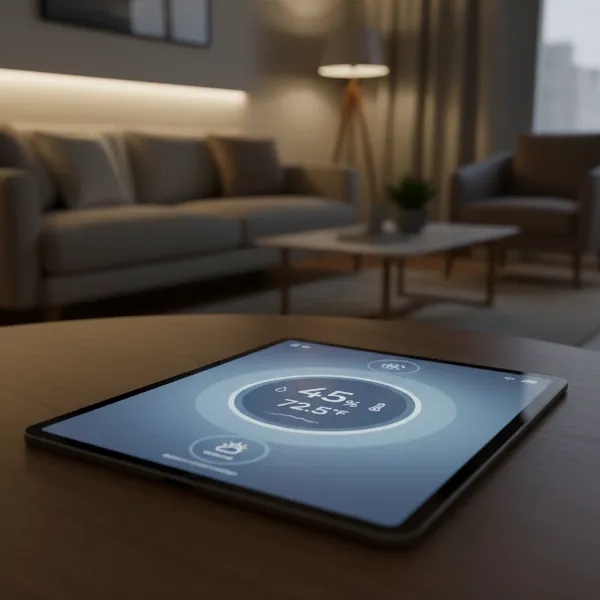
In our pursuit of a healthy home, we often focus on clean air and nutritious food, but one crucial element frequently goes unnoticed: indoor humidity. The invisible water vapor in your home’s air plays a profound role in your family’s well-being, influencing everything from respiratory comfort to skin health and even the presence of allergens. Without proper monitoring, you might unknowingly be living in an environment that’s either too dry or excessively damp, leading to various health and home issues. That’s where a digital hygrometer becomes an indispensable tool. This comprehensive guide will empower you to understand, select, and utilize the best digital hygrometer to ensure your living space is consistently comfortable and healthy.
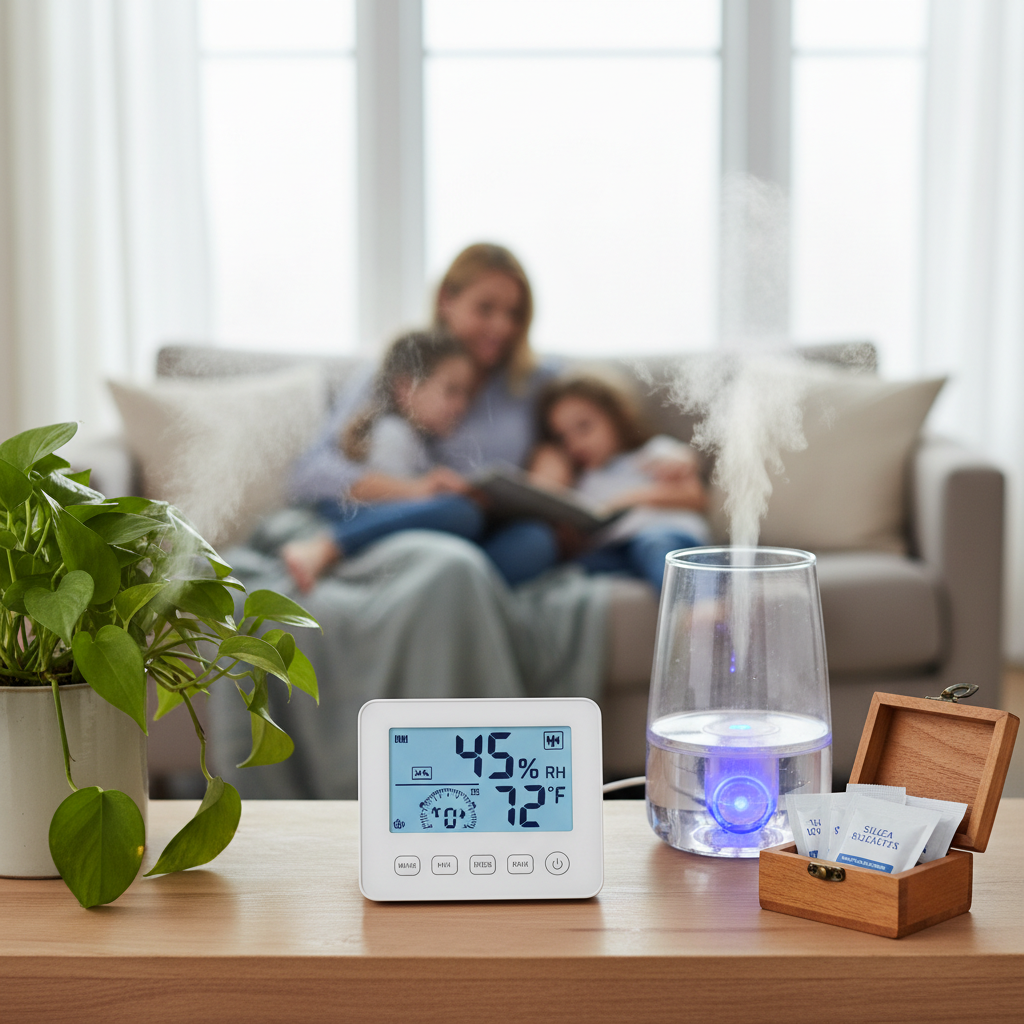
What is a Digital Hygrometer? Why You Need One for Your Family’s Health?
A digital hygrometer is an electronic device designed to accurately measure the amount of water vapor in the air, expressed as relative humidity (RH), and often also displays the ambient temperature. Unlike older analog models that rely on mechanical systems like hair or paper, most modern digital hygrometers use capacitive or resistive sensors to detect changes in electrical properties caused by moisture, providing precise and easy-to-read data. This measurement is critical for maintaining a balanced indoor environment.
Maintaining optimal humidity levels in your home is not just about comfort; it’s vital for your family’s health. When indoor air is too dry, typically below 30-40% RH, it can irritate the delicate mucous membranes in your nose, throat, and lungs, leading to dryness, coughing, and even nosebleeds. This dry environment can also make you more susceptible to airborne viruses like the flu, as it allows them to survive longer and can compromise your body’s natural defenses. Furthermore, low humidity can severely impact skin health, causing dryness, flakiness, and exacerbating conditions like eczema. Your eyes can also suffer, experiencing irritation, itching, burning, and blurred vision due to rapid moisture evaporation. Dry air can even disrupt sleep quality by causing throat irritation and snoring.
Conversely, when humidity levels are too high, usually above 60% RH, they create an ideal breeding ground for common household allergens and irritants. High humidity contributes significantly to the growth of mold and mildew, which can trigger allergies and respiratory problems. It also provides a perfect habitat for dust mites, a prevalent cause of asthma and allergy symptoms, especially when humidity consistently exceeds 70%. Beyond health concerns, high humidity can make your home feel sticky and uncomfortable, and even impact the structural integrity of your property and possessions.
The sweet spot for indoor relative humidity, recommended for both health and comfort, generally falls between 40% and 60%. Some experts narrow this further, suggesting an ideal range of 30-50% or 40-50% for optimal well-being and to prevent the spread of illness. By keeping your indoor humidity within this healthy range, you can help prevent the growth of contaminants and ensure your family breathes easier, sleeps better, and enjoys overall improved health.
Popular Types of Digital Hygrometers
Digital hygrometers come in various forms, each offering different advantages depending on your needs. Understanding these types will help you choose the most suitable device for your home environment.
Desktop Digital Hygrometers
These are perhaps the most common type, designed to sit on a flat surface like a table, shelf, or nightstand.
- Advantages: They typically feature large, easy-to-read displays that often show both humidity and temperature simultaneously. Many models include additional functions like comfort level indicators (dry, comfort, wet), clock functions, and high/low records for daily monitoring.
- Disadvantages: While highly functional, they are generally less portable than handheld units and are meant for fixed monitoring in a specific room.
|
Our Picks for the Best Digital hygrometer in 2026
As an Amazon Associate I earn from qualifying purchases.
|
||
| Num | Product | Action |
|---|---|---|
| 1 | TempPro TP50 2 Pieces Digital Hygrometer Indoor Thermometer Room Thermometer and Humidity Gauge with Temperature Humidity Monitor(Previously ThermoPro) |

|
| 2 | JEDEW 2 Pack Hygrometer Thermometer Digital Humidity Meter Indoor/Outdoor Humidity Monitor Reptile Thermo-Hygrometer for Greenhouse Humidors Terrarium Jars, Fahrenheit (℉) /Celsius(℃) (2) |
|
| 3 | Humidity Meter Indoor Thermometer 6-Pack Mini Digital Thermometer Hygrometer Indoor Temperature Humidity Meters Gauge LCD Display Fahrenheit (℉) for Greenhouse, Reptile Tank, Cellar, Closet |
|
| 4 | TempPro TP49 Digital Hygrometer Indoor Thermometer Humidity Meter Room Thermometer with Temperature and Humidity Monitor Mini Hygrometer Outdoor Thermometer (Previously ThermoPro) |
|
| 5 | JEDEW 4 Pack Hygrometer Thermometer Digital Humidity Meter Indoor/Outdoor Humidity Monitor Reptile Thermo-Hygrometer for Greenhouse Humidors Terrarium Jars, Fahrenheit (℉) /Celsius(℃) (4) |
|
| 6 | Govee Bluetooth Hygrometer Thermometer, Large LCD, Max/Min Records, 2-Year Data Storage - Black, 2 Pack |
|
| 7 | 6-Pack Mini Hygrometer Indoor Humidity Meter, Mini Digital Thermometer Humidity Gauge Meter, Indoor Thermometer Hygrometer Monitor Fahrenheit (℉) for Reptile Thermostat, Jars Reptile, Fridge |
|
| 8 | Mini Hygrometer Thermometer Digital Humidity Meter Indoor/Outdoor Humidity Monitor Reptile Thermometer for Greenhouse Garden Cellar Fahrenheit(℉)/ Celsius(℃) 2 Pack |
|
| 9 | TempPro TP49 3 Pieces Digital Hygrometer Indoor Thermometer Humidity Meter Mini Hygrometer with Temperature and Humidity Monitor Outdoor and Room Thermometer Weather Station (Previously ThermoPro) |
|
| 10 | TempPro TP50 Digital Hygrometer Indoor Thermometer Room Thermometer and Humidity Gauge with Temperature Humidity Monitor(Previously ThermoPro) |
|
Wall-Mounted Digital Hygrometers
Similar to desktop models in functionality, these hygrometers are designed to be affixed to a wall, often with adhesive pads or a small screw.
- Advantages: They are space-saving and provide a consistent, at-a-glance reading from a designated area. This can be particularly useful in nurseries or living spaces where surface area is limited.
- Disadvantages: Once mounted, their position is fixed, making them less flexible for monitoring different areas without relocating the device.
Portable Digital Hygrometers
These compact, lightweight devices are designed for easy transport, allowing you to take readings in various locations throughout your home or even when traveling.
- Advantages: Their mobility makes them versatile for checking humidity in different rooms, inside wardrobes, or in storage areas. Some mini versions are small enough to be carried in a pocket.
- Disadvantages: They might have smaller screens and fewer advanced features compared to larger desktop or smart models.
Smart Digital Hygrometers (Bluetooth/Wi-Fi)
Representing the cutting edge, smart hygrometers connect to your smartphone via Bluetooth or Wi-Fi, allowing for remote monitoring and advanced data analysis.
- Advantages: They offer real-time data to your phone, enabling you to check conditions from anywhere. Many provide customizable alerts for high/low humidity, historical data logging, and can integrate with smart home systems. This is ideal for continuous monitoring in critical areas like basements, wine cellars, or baby rooms.
- Disadvantages: They are generally more expensive and require a smartphone app and potentially a stable Wi-Fi connection.
Comparing Top Digital Hygrometers for Family Health
Choosing the right digital hygrometer involves balancing accuracy, features, and budget. Here’s a comparison of some highly-rated models that are popular for home use, drawing insights from expert reviews.
| Model | Brand | Price Range | Accuracy (RH) | Key Features | User Review Summary |
|---|---|---|---|---|---|
| ThermoPro TP49/TP50 | ThermoPro | $10-$20 | ±2-3% | Fast 10-second refresh rate, comfort level indicator (dry/comfort/wet), temperature display, magnetic back & tabletop stand. Long battery life (TP49: 18 months). | Highly praised for its affordability, ease of use, and quick, accurate readings. Ideal for general home monitoring. Users appreciate the comfort indicator and versatile placement. |
| ThermoPro TP55 | ThermoPro | $20-$30 | ±2-3% | Jumbo touchscreen display with large numerals and backlight, high/low records, temperature trend indicator. | Noted for its excellent visibility, especially the large display and optional backlight, making it easy to read from a distance. Reliable for comprehensive indoor climate insights. |
| Govee H5075 Bluetooth Hygrometer Thermometer | Govee | $15-$25 | ±3% | Bluetooth connectivity (196 ft range), app alerts, 20-day data storage, compact size, fast 2-second refresh rate. | A strong budget-friendly smart option. Users love the app connectivity for remote monitoring and historical data, making it great for multiple rooms or specific sensitive areas like baby rooms. |
| AcuRite 00613 Digital Hygrometer | AcuRite | $15-$25 | ±2-3% | Versatile with various mounting options, displays daily high/low temperature and humidity, simple and reliable. Often includes a separate temperature sensor. | Frequently recommended for its accuracy and versatility. Users find it straightforward to use and dependable for monitoring general indoor conditions. |
| SensorPush HT.w Temperature/Humidity Smart Sensor | SensorPush | $40-$60+ | ±2% | High precision, Bluetooth & Wi-Fi bridge capability (with separate hub), extensive data logging, customizable alerts, robust app for detailed analysis. | Considered a premium choice for serious monitoring. Valued for its exceptional accuracy, robust app features, and remote monitoring capabilities, especially for critical environments like wine cellars or labs. |
Your Buying Guide: Choosing the Right Digital Hygrometer for Your Family
Selecting the perfect digital hygrometer involves a thoughtful evaluation of your specific requirements and the features that best align with your home and lifestyle.
Determine Your Specific Needs
Before diving into features, consider where and how you intend to use the hygrometer.
- Location: Are you monitoring a single room like a nursery or living room, or do you need to check multiple areas such as a basement, attic, or a sensitive storage space? This might influence whether you need a single unit, a multi-pack, or a smart system with multiple sensors.
- Required Accuracy: For general comfort, a standard ±3-5% RH accuracy is usually sufficient. However, for specialized needs like instrument storage or maintaining optimal conditions for specific plants, a higher accuracy of ±2% RH or better might be preferred.
- Additional Features: Do you need real-time alerts, historical data tracking, a clock, or a comfort level indicator? Consider if you’d benefit from remote monitoring via a smartphone app.
Key Factors to Consider When Choosing
Once your needs are clear, focus on these critical factors during your selection:
- Accuracy and Resolution: Look for models with an accuracy of ±2-5% RH. Higher resolution (e.g., displaying humidity to one decimal place) offers more precise readings.
- Measurement Range: Ensure the device covers the full range of humidity you expect (e.g., 0-100% RH) and a suitable temperature range for your environment.
- Response Time: A faster refresh rate (e.g., every 10 seconds or 2 seconds) provides more up-to-date information, which can be crucial for quick adjustments.
- Display and Readability: Opt for a clear, large display with easy-to-read digits. Backlighting is a significant plus for low-light conditions, and comfort indicators offer an immediate visual cue about your environment.
- Connectivity (for Smart Models): If you desire remote monitoring, choose between Bluetooth (shorter range, app-dependent) or Wi-Fi (longer range, access from anywhere) enabled devices. Check app compatibility and functionality.
- Data Logging and Alerts: For tracking trends and ensuring proactive action, features that record historical data (high/low over 24 hours, or longer via an app) and send alerts for out-of-range conditions are invaluable.
- Battery Life/Power Source: Consider the battery type and expected lifespan. Some devices use standard AAA batteries, while others have built-in rechargeable units. Long battery life reduces maintenance.
- Mounting Options: Determine if you need a tabletop stand, a magnetic back, or a wall-mounting feature for flexible placement.
- Brand Reputation and Reviews: Stick to reputable brands known for quality and reliability. User reviews can offer practical insights into a product’s real-world performance.
Budget Considerations
Digital hygrometers generally range from $10-$25 for single units with basic features. More advanced models with larger displays, smart connectivity, or higher precision can cost anywhere from $25 to $60 or more. Define your budget and prioritize features that offer the most value for your family’s health needs.
How to Use and Maintain Your Digital Hygrometer
Proper usage and maintenance ensure your digital hygrometer provides accurate readings and serves you effectively for years.
Placement is Key: For the most accurate readings, place your digital hygrometer in a central location within the room you wish to monitor. Avoid placing it near direct sunlight, air vents, open windows, doors, or directly beside humidifiers/dehumidifiers, as these can give skewed readings. Keep it away from sources of heat or cold.
Initial Setup: Most digital hygrometers are ready to use right out of the box after inserting batteries. Ensure the display is clear and functioning.
Calibration (The Salt Test): Even the best hygrometers can drift over time. Calibrating your device every 6 months, or whenever you suspect inaccuracies, is crucial. The common “salt test” is simple:
- Fill a small bottle cap with table salt and add a few drops of water – just enough to make a paste, not dissolve the salt.
- Place the salt mixture and your hygrometer together in a sealed plastic bag or airtight container.
- Wait 6-8 hours. The humidity inside the sealed environment should stabilize at approximately 75% RH.
- Note your hygrometer’s reading. If it reads, for example, 70%, it has a -5% offset. Many digital hygrometers allow you to adjust the calibration. If not, simply remember this offset and mentally add/subtract it from future readings.
Battery Replacement: Keep an eye on battery indicators and replace them promptly when low to ensure continuous monitoring.
Cleaning: Occasionally wipe the device with a soft, dry cloth to remove dust. Avoid using harsh chemicals or submerging the unit in water.
Common Issues and Troubleshooting
Even with a reliable digital hygrometer, you might encounter minor issues. Here are some common problems and their solutions:
- Inaccurate Readings:
- Cause: Poor placement (near drafts, heat, or direct moisture), or the sensor has drifted.
- Solution: Relocate the hygrometer to a central, stable environment. Perform a salt test to recalibrate it.
- Display Not Working:
- Cause: Dead batteries, loose battery connection, or a technical glitch.
- Solution: Replace batteries with fresh ones, ensuring correct polarity. If applicable, try a factory reset.
- Connectivity Issues (for Smart Hygrometers):
- Cause: Out of Bluetooth/Wi-Fi range, app errors, or network issues.
- Solution: Move the hygrometer closer to your phone (for Bluetooth) or Wi-Fi router (for Wi-Fi models). Restart the app or the hygrometer. Check your home network for stability.
- Slow Response Time:
- Cause: Some budget models have slower refresh rates, or significant environmental changes might take time to register.
- Solution: This is often a characteristic of the device; ensure you’ve allowed enough time for readings to stabilize after movement or environmental shifts. If it’s unusually slow, try a reset.
By understanding these simple troubleshooting steps, you can quickly address most common issues and keep your digital hygrometer performing optimally.
Conclusion
A digital hygrometer is a small investment that offers substantial returns for your family’s health and home comfort. By providing accurate, real-time insights into your indoor humidity levels, it empowers you to take proactive steps to prevent respiratory irritations, protect against allergens like mold and dust mites, safeguard skin health, and ensure a generally more comfortable living environment. With various types available, from simple desktop models to advanced smart devices, there’s a perfect digital hygrometer to fit every need and budget.
Monitoring your home’s unseen climate is a fundamental aspect of creating a truly healthy living space. Are you ready to take control of your indoor air quality and create an optimal environment for your loved ones?
Frequently Asked Questions
What is the ideal humidity level for a home?
The ideal indoor humidity level for most homes and for optimal family health ranges between 40% and 60% relative humidity. This range helps prevent issues associated with both overly dry and excessively damp air.
How often should I calibrate my digital hygrometer?
It’s recommended to calibrate your digital hygrometer every 6 months, or whenever you notice inconsistent or questionable readings, using a simple method like the salt test.
Where is the best place to put a digital hygrometer in a room?
For the most accurate readings, place your hygrometer in a central location within the room, away from direct sunlight, heating/cooling vents, windows, doors, or any direct sources of moisture or extreme temperature.
Do digital hygrometers need batteries?
Yes, most digital hygrometers, including desktop, portable, and smart models, require batteries for operation. Analog hygrometers typically do not need batteries.
Can a digital hygrometer help with allergies and asthma?
Absolutely. By monitoring and helping you maintain optimal humidity levels, a digital hygrometer can reduce the presence of common allergy and asthma triggers like dust mites (which thrive in high humidity) and alleviate respiratory irritation caused by dry air.