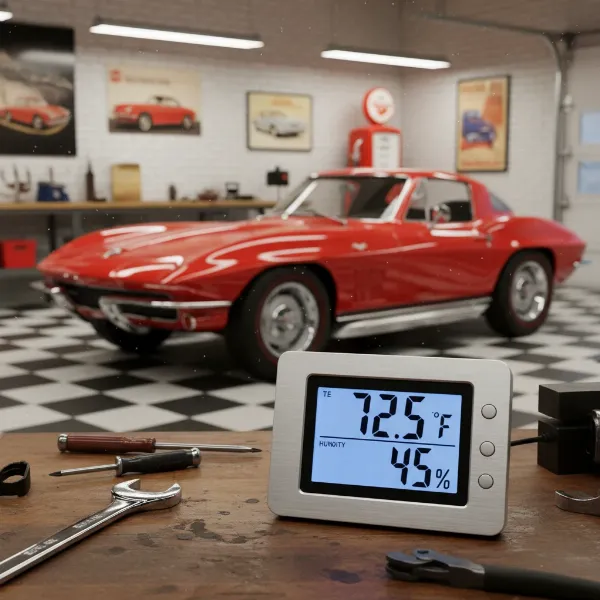
Maintaining ideal indoor humidity is more than just a matter of comfort; it’s a critical factor influencing your health, the longevity of your home, and the preservation of your cherished belongings. From preventing mold growth to safeguarding valuable instruments, a digital hygrometer serves as an indispensable tool in creating a perfectly balanced living space. This comprehensive guide will delve into what digital hygrometers are, how they function, the various types available, and offer a detailed review to help you choose the best model for your specific needs, ensuring your environment remains precisely as it should be.
What is a Digital Hygrometer? Why Do You Need One?
A digital hygrometer is an electronic device designed to measure the amount of moisture, or water vapor, present in the air, commonly expressed as Relative Humidity (RH). Unlike older analog models, digital hygrometers provide precise, easy-to-read measurements, often alongside temperature readings, offering a more complete picture of your indoor climate.
At its core, a digital hygrometer employs sophisticated electronic sensors, typically capacitive or resistive. These sensors feature a small, moisture-absorbent material that reacts to changes in ambient humidity. As the material absorbs or releases moisture, its electrical properties (either capacitance or resistance) change. This change is then converted into an electronic signal, processed by a microprocessor, and displayed as an accurate digital reading of humidity and temperature.
The importance of monitoring humidity cannot be overstated, touching various aspects of your life and home:
- Comfort and Health: Ideal indoor humidity levels typically range between 40-60%. Levels outside this range can lead to dry skin, irritated sinuses, and respiratory issues, while excessive humidity fosters mold and mildew growth, triggering allergies and asthma.
- Preservation of Valuables: Many items are sensitive to humidity fluctuations. Wood furniture and musical instruments can warp or crack, cigars and wine can spoil, and electronics are susceptible to corrosion or static discharge in overly damp or dry conditions.
- Home Care: Persistent high humidity can lead to structural damage in your home, including peeling paint, rotting wood, and the proliferation of dust mites. A hygrometer helps you identify and address these issues before they escalate.
By providing real-time data, a digital hygrometer empowers you to take proactive measures, whether it’s activating a humidifier or dehumidifier, ensuring your home and possessions are protected.
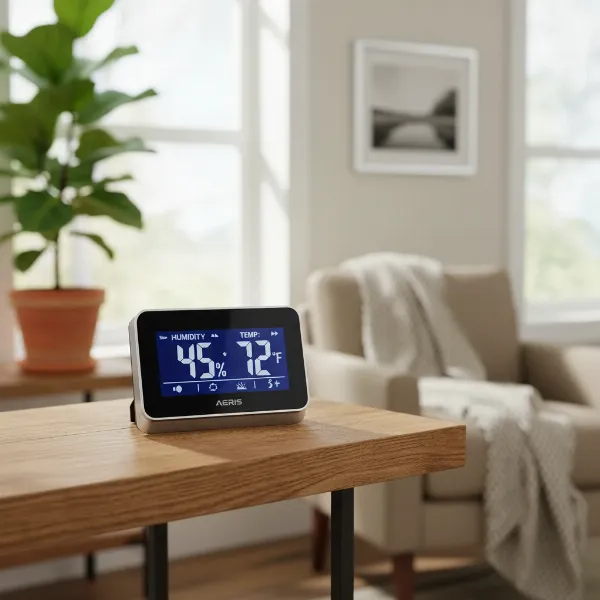 Digital hygrometer displaying humidity and temperature in a modern home living room.
Common Types of Digital Hygrometers
The market offers a diverse range of digital hygrometers, varying primarily by their features, connectivity, and intended use rather than strict form factors like “desktop” or “wall-mounted,” which are often integrated mounting options. Understanding these variations helps in selecting a device that best suits your monitoring requirements.
-
Standard Digital Hygrometers: These are typically basic, standalone units with an integrated digital display. They provide current humidity and temperature readings at a glance. Many models are designed for versatility, featuring built-in kickstands for tabletop placement, magnets for attaching to metal surfaces (like refrigerators), or adhesive pads for wall mounting.
- Advantages: User-friendly, often highly affordable, and sufficient for general indoor monitoring in a single location.
- Considerations: Limited functionality, usually no remote access, and may lack advanced data logging capabilities.
-
Smart/Connected Digital Hygrometers (Bluetooth/Wi-Fi): Representing the cutting edge of humidity monitoring, these devices offer enhanced functionality through wireless connectivity.
- Bluetooth-enabled models connect to your smartphone or tablet within a certain range (e.g., up to 200-300 feet). They allow you to view current readings, access historical data, and often set alerts via a dedicated app.
- Wi-Fi-enabled models connect directly to your home network, allowing for true remote monitoring from anywhere with an internet connection. Many offer more extensive data storage, customizable alerts, and sometimes integration with smart home ecosystems like Alexa or Google Assistant. Some smart hygrometers are designed without an onboard display, relying entirely on the companion app for readings.
- Advantages: Remote monitoring, extensive data logging for trend analysis, customizable alerts, and smart home integration for automated environmental control.
- Considerations: Generally more expensive, reliance on app functionality, and Wi-Fi models may require an additional gateway for remote access.
-
Specialized Digital Hygrometers: Some digital hygrometers are engineered with specific applications in mind, such as those for cigar humidors, greenhouses, or wine cellars. These often boast enhanced accuracy, a more robust build for demanding environments, or features tailored to their unique purpose, like specialized sensor probes for soil moisture in greenhouses. While these may fall under the “standard” or “smart” categories in terms of basic operation, their design and feature set are optimized for niche uses where precise humidity control is paramount.
The choice among these types largely depends on how you intend to use the device, the level of precision and remote access you require, and your budget.
Comparison Table: Top Digital Hygrometer Models
Choosing the right digital hygrometer can be challenging with the array of options available. Here’s a comparison of some highly-rated models, highlighting their key features to help you make an informed decision.
| Feature | Govee H5051 Wi-Fi Indoor Hygrometer | Govee H5075 Bluetooth Hygrometer Thermometer | SensorPush HT.w Temperature/Humidity Smart Sensor | ThermoPro TP55 Digital Hygrometer | AcuRite Indoor Temperature and Humidity Monitor |
|---|---|---|---|---|---|
| Connectivity | Wi-Fi & Bluetooth | Bluetooth Only | Bluetooth (Wi-Fi via optional Gateway) | None (Standalone Display) | None (Standalone Display) |
| Display | Digital face + App | Large LCD face + App | App-only (no onboard display) | 4-inch Touch-screen LCD | Large digital display |
| Humidity Accuracy | ±3% RH | ±3% RH | ±2% RH | ±2-3% RH | ±3-5% RH |
| Temp. Accuracy | ±0.54°F | ±0.5°F | ±0.36°F | ±1°F | ±2°F |
| Data Logging | Up to 2 years in app, exportable | Up to 2 years in app, exportable | Unlimited in app | 24-hour highs/lows, all-time | 24-hour highs/lows |
| Alerts | App alerts (temp, humidity, battery) | App alerts (temp, humidity) | App alerts | No | Comfort indicator |
| Calibration | Easy via app | Easy via app | Easy via app | No (for humidity) | No |
| Power | CR247 battery | 2 AAA batteries | CR247 coin cell battery | AAA battery | AA battery |
| Mounting | Stand, wall mount | Kickstand, magnet, wall mount | Place anywhere | Kickstand, magnet, nail hole | Kickstand, clip, magnet |
Each of these models offers distinct advantages. For advanced remote monitoring and detailed data, the Govee H5051 or SensorPush HT.w are excellent choices. If budget and a clear, local display are priorities, the ThermoPro TP55 or AcuRite Indoor Monitor stand out. The Govee H5075 strikes a good balance for those wanting app connectivity without Wi-Fi.
Buying Guide: Choosing the Right Digital Hygrometer
Selecting the perfect digital hygrometer involves evaluating your specific needs against a range of crucial features. With so many models available, a thoughtful approach ensures you invest in a device that truly serves its purpose.
Determine Your Usage Needs
Begin by pinpointing exactly where and how you plan to use the hygrometer. This initial step will narrow down your options significantly.
- Location: Are you monitoring a single room (e.g., living room, bedroom), multiple areas (e.g., basement, attic, baby room), or specialized environments like a greenhouse, cigar humidor, or wine cellar? Some models excel in specific conditions or offer multi-sensor capabilities.
- Required Accuracy: For general home comfort, an accuracy of ±2-5% RH is usually sufficient. However, for sensitive items such as musical instruments, expensive cigars, or critical laboratory settings, a higher precision of ±1-2% RH is often necessary.
- Additional Features: Do you require basic current readings, or do you need advanced functions like remote monitoring via a smartphone, data logging to track historical trends, customizable high/low alerts, or integration with smart home systems?
|
Our Picks for the Best Digital hygrometer in 2026
As an Amazon Associate I earn from qualifying purchases.
|
||
| Num | Product | Action |
|---|---|---|
| 1 | TempPro TP49 Digital Hygrometer Indoor Thermometer Humidity Meter Room Thermometer with Temperature and Humidity Monitor Mini Hygrometer Outdoor Thermometer (Previously ThermoPro) |

|
| 2 | TempPro TP50 Digital Hygrometer Indoor Thermometer Room Thermometer and Humidity Gauge with Temperature Humidity Monitor(Previously ThermoPro) |
|
| 3 | JEDEW 2 Pack Hygrometer Thermometer Digital Humidity Meter Indoor/Outdoor Humidity Monitor Reptile Thermo-Hygrometer for Greenhouse Humidors Terrarium Jars, Fahrenheit (℉) /Celsius(℃) (2) |
|
| 4 | TempPro TP49 3 Pieces Digital Hygrometer Indoor Thermometer Humidity Meter Mini Hygrometer with Temperature and Humidity Monitor Outdoor and Room Thermometer Weather Station (Previously ThermoPro) |
|
| 5 | TempPro TP50 2 Pieces Digital Hygrometer Indoor Thermometer Room Thermometer and Humidity Gauge with Temperature Humidity Monitor(Previously ThermoPro) |
|
| 6 | 6-Pack Mini Hygrometer Indoor Humidity Meter, Mini Digital Thermometer Humidity Gauge Meter, Indoor Thermometer Hygrometer Monitor Fahrenheit (℉) for Reptile Thermostat, Jars Reptile, Fridge |
|
| 7 | Govee Bluetooth Hygrometer Thermometer, Large LCD, Max/Min Records, 2-Year Data Storage - Black, 2 Pack |
|
| 8 | JEDEW 4 Pack Hygrometer Thermometer Digital Humidity Meter Indoor/Outdoor Humidity Monitor Reptile Thermo-Hygrometer for Greenhouse Humidors Terrarium Jars, Fahrenheit (℉) /Celsius(℃) (4) |
|
| 9 | Mini Hygrometer Thermometer Digital Humidity Meter Indoor/Outdoor Humidity Monitor Reptile Thermometer for Greenhouse Garden Cellar Fahrenheit(℉)/ Celsius(℃) 2 Pack |
|
| 10 | Humidity Meter Indoor Thermometer 6-Pack Mini Digital Thermometer Hygrometer Indoor Temperature Humidity Meters Gauge LCD Display Fahrenheit (℉) for Greenhouse, Reptile Tank, Cellar, Closet |
|
Key Factors to Consider When Choosing
Once you understand your basic needs, evaluate these technical specifications and features to find the best match.
- Accuracy and Resolution: The most critical factor for any measuring device. Look for models explicitly stating an accuracy of ±2-3% RH and ±1°F for temperature. Higher-end models might offer readings to a tenth or even hundredth of a percent for humidity, which can be crucial for very sensitive applications.
- Measurement Range: Ensure the hygrometer can accurately measure the expected humidity and temperature fluctuations in your intended environment. Most consumer-grade models cover a range like 20% to 90% RH.
- Response Time: How quickly does the device update its readings? A faster response time (e.g., every 2-10 seconds) is beneficial for monitoring rapid changes, especially in dynamic environments.
- Power Source and Battery Life: Most digital hygrometers are battery-powered, with battery life ranging from a few months to two years or more. Consider models with long-lasting batteries (e.g., CR247 coin cells) for remote or hard-to-reach placements. Some desktop units may offer USB or AC power options.
- Display: A clear, large digital display is essential for easy readability, especially from a distance or in low light. Features like backlighting and touchscreens enhance usability.
- Connectivity (Bluetooth/Wi-Fi):
- Bluetooth is great for local monitoring within a home, offering data to your smartphone.
- Wi-Fi enables true remote monitoring from anywhere, often with cloud data storage and advanced alerts, making it ideal for monitoring vacation homes or critical storage areas.
- Brand and Reviews: Stick to reputable brands known for their reliability and customer support, such as Govee, ThermoPro, SensorPush, and AcuRite. User reviews can provide valuable insights into real-world performance and common issues.
- Calibration Capability: Even accurate sensors can drift over time. A hygrometer that allows for easy calibration (either via an app, a physical adjustment screw, or by noting an offset) is crucial for maintaining long-term precision.
Budget
Digital hygrometers vary widely in price. Basic models can cost as little as $10-$25, offering essential functionality. Smart hygrometers with advanced connectivity and features typically range from $30 to $70 or more. Determine your budget based on the level of precision and functionality you truly need.
How to Use and Maintain Your Digital Hygrometer
Proper usage and regular maintenance are crucial for ensuring your digital hygrometer provides accurate and reliable readings over its lifespan.
Optimal Placement for Accurate Readings
The location of your hygrometer significantly impacts the accuracy of its measurements. Incorrect placement can lead to skewed data, giving you a false sense of your environment’s humidity.
- General Home Use: Place your hygrometer in a central living area where you spend most of your time. Avoid placing it directly next to windows, doors, air conditioning vents, heaters, or in direct sunlight, as these areas can experience rapid temperature and humidity fluctuations that don’t reflect the overall room conditions.
- Specific Environments:
- Cigar Humidors: Position the hygrometer at mid-level, away from the humidification device, to get a representative reading of the cigar environment.
- Greenhouses: Keep the device shaded and away from direct water sprays or misting systems.
- Basements/Crawl Spaces: Place it in a general area to monitor for excess dampness, but not directly on cold, damp surfaces that might give artificially high readings.
Always ensure the hygrometer is in a stable area, away from direct airflow or heat sources, to minimize unusual fluctuations.
Basic Usage Guidelines
Most digital hygrometers are designed for ease of use.
- Initial Setup: Follow the manufacturer’s instructions for installing batteries and any initial setup procedures.
- Reading the Display: Familiarize yourself with the display. Many models show current temperature and humidity, along with daily high/low records. Some also include comfort indicators (e.g., “Dry,” “Comfort,” “Wet”).
- Smart Features: If you have a smart hygrometer, download the companion app. Set up alerts for humidity and temperature ranges, explore data logging features, and customize refresh rates to suit your monitoring needs. These apps often provide a more detailed historical view of your environment.
Essential Maintenance Tips
Regular maintenance helps prolong the life and accuracy of your device.
- Regular Calibration: Sensors can drift over time due to dust, environmental factors, or natural wear. It’s recommended to recalibrate your digital hygrometer every 6 to 12 months for home use, or every 3 to 4 months for critical environments like greenhouses or laboratories. Calibrate immediately if you suspect readings are inaccurate (e.g., plants wilting despite “normal” humidity readings).
- Checking Battery Health: Most digital hygrometers are battery-powered. Regularly check the battery indicator and replace batteries when they are low. Low battery power can lead to inaccurate readings. It’s a good practice to replace batteries before performing a calibration test.
- Cleaning the Sensor: If necessary, gently clean the sensor with a soft, dry cloth. Avoid using harsh chemicals, solvents, or excessive water, as these can damage the delicate sensor element and compromise accuracy. Never attempt to disassemble the device for cleaning.
- Avoid Extreme Conditions: While built for environmental monitoring, extreme temperatures (very hot or very cold) or prolonged exposure to excessively high humidity can damage internal components. Store and use your hygrometer within its specified operating range.
By adhering to these simple usage and maintenance practices, your digital hygrometer will remain a reliable guardian of your optimal indoor environment.
 Digital hygrometer undergoing a salt test for calibration in a sealed bag.
Common Issues and Troubleshooting
Even the most reliable digital hygrometers can encounter issues. Understanding common problems and how to troubleshoot them can save you time and ensure your device remains dependable.
-
Inaccurate Readings or Sensor Drift: This is perhaps the most frequent concern. Over time, all sensors can “drift” from their original calibration, providing readings that are consistently too high or too low.
- Causes: Natural degradation of the sensor, accumulation of dust or contaminants, exposure to extreme temperatures, or simply prolonged use.
- Troubleshooting: The primary solution is recalibration. Use a salt test (placing the hygrometer in a sealed container with a saturated salt solution, which creates a stable 75% RH environment) or a commercially available calibration pack. If your hygrometer has a built-in adjustment feature, use this to correct the reading. If not, note the offset (e.g., “+3%” or “-2%”) and manually apply it to future readings. Ensure the device is placed correctly, away from direct influences.
-
Display Issues (Blank, Dim, or Incorrect Digits):
- Causes: Most commonly, a low or dead battery. Physical damage to the screen or internal components is also possible.
- Troubleshooting: Replace the batteries with fresh ones, ensuring they are inserted correctly. If the issue persists, inspect the display for any physical damage. If it’s a new device, this could indicate a manufacturing defect.
-
Connectivity Problems (for Smart Hygrometers): If your Bluetooth or Wi-Fi enabled hygrometer isn’t connecting to its app or reporting data.
- Causes: Device is out of range, Bluetooth/Wi-Fi interference, issues with the app, or a disconnected Wi-Fi gateway (if applicable).
- Troubleshooting:
- Ensure the device is within the specified Bluetooth or Wi-Fi range.
- Restart the hygrometer and your smartphone/tablet.
- Check your app to ensure it’s updated to the latest version.
- Verify your Wi-Fi router and any optional Wi-Fi gateways are functioning correctly.
- Temporarily move the hygrometer closer to your hub or phone to rule out range issues.
-
Battery Draining Quickly:
- Causes: Old or low-quality batteries, very frequent data transmission (for smart models), or a faulty device.
- Troubleshooting: Use reputable brand batteries. For smart hygrometers, check the app settings if there’s an option to adjust the data refresh rate (less frequent updates can extend battery life). If the issue persists with new batteries and optimized settings, the device might be defective.
-
No Calibration Feature: Some budget-friendly digital hygrometers do not offer a direct calibration adjustment.
- Causes: Design limitation.
- Troubleshooting: Perform a salt test to determine the offset. Then, simply remember to add or subtract that consistent percentage from every reading you take. For example, if it reads 70% during a 75% salt test, always add 5% to your future readings.
By systematically addressing these issues, you can maintain the performance and reliability of your digital hygrometer, ensuring it continues to provide valuable environmental insights.
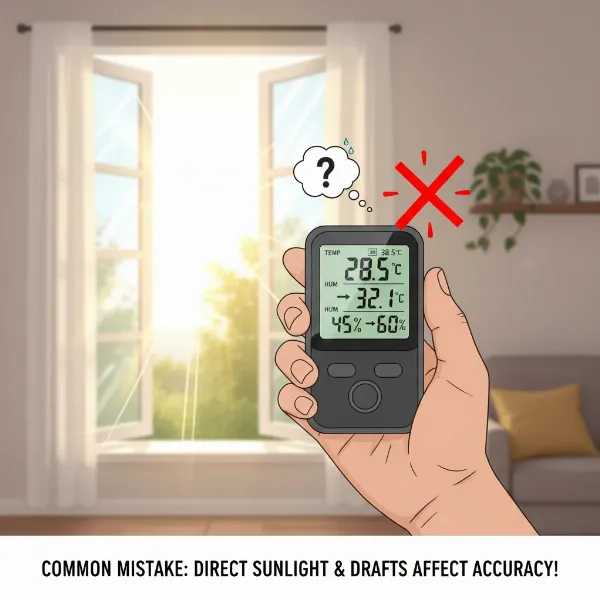 Hand holding a digital hygrometer near an open window, illustrating poor placement leading to inaccurate readings.
Conclusion
A digital hygrometer is an invaluable investment for anyone committed to creating a healthier, more comfortable, and protective environment. As we’ve explored, these compact devices, leveraging advanced sensor technology, provide precise insights into your home’s humidity and temperature levels. From safeguarding your health against mold and respiratory issues to preserving cherished wooden heirlooms, musical instruments, and sensitive electronics, accurate humidity monitoring is undeniably crucial.
The diverse range of models, from basic standalone units to smart, app-connected devices, ensures there’s a digital hygrometer suited for every need and budget. Key considerations like accuracy, display readability, connectivity options, and the ability to calibrate are paramount when making your selection. Furthermore, understanding proper placement, routine battery checks, and periodic calibration are essential steps in maintaining your device’s long-term reliability.
By choosing the right digital hygrometer and adhering to simple maintenance practices, you gain an active role in managing your indoor climate, leading to greater comfort, enhanced health, and the prolonged integrity of your home and possessions. What aspects of your home environment are you most eager to optimize with precise humidity control?
Frequently Asked Questions
Where should a home hygrometer be placed for the most accurate readings?
For optimal accuracy, place your home hygrometer in a central living area, away from direct sunlight, heating or cooling vents, windows, and sources of high moisture like bathrooms or kitchens. This ensures the reading reflects the general humidity of your main living space, rather than localized fluctuations.
How often should I calibrate a digital hygrometer?
It’s recommended to calibrate your digital hygrometer every 6 to 12 months for general home use. For more sensitive applications, such as cigar humidors or laboratories, recalibrating every 3 to 4 months is advisable. You should also recalibrate immediately if you suspect readings are inaccurate.
What is considered a healthy humidity level for a home?
The ideal relative humidity level for most homes falls between 40% and 60%. Maintaining humidity within this range helps prevent issues like dry skin and respiratory irritation at lower levels, and mold growth, dust mites, and discomfort at higher levels.
Do digital hygrometers need batteries?
Yes, most digital hygrometers are battery-powered. The type and longevity of batteries vary by model, with some using standard AA/AAA batteries and others employing longer-lasting coin cell batteries. Smart hygrometers, particularly those with Wi-Fi connectivity, may consume battery power more quickly due to continuous data transmission.
How can I adjust the humidity level in my home if my hygrometer indicates it’s off?
If your hygrometer shows the humidity is too high, you can use a dehumidifier, open windows on dry days, or ensure proper ventilation. If the humidity is too low, a humidifier can add moisture to the air. Proper placement of these devices, guided by your hygrometer’s readings, will help you achieve the desired levels.