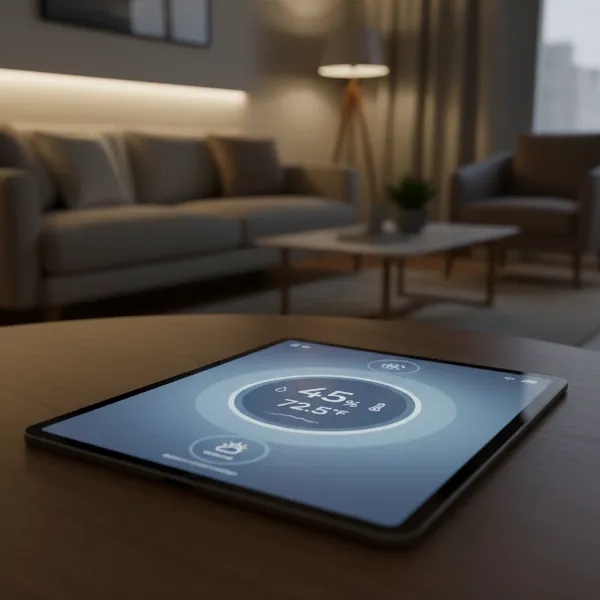
Maintaining the right humidity levels in your home is more critical than many realize. It impacts not only your personal comfort and health but also the longevity of your belongings and even the structural integrity of your living space. From preventing mold growth and allergens to protecting wooden furniture and electronics, a digital hygrometer serves as your essential sentinel, providing precise measurements to help you create an optimal indoor environment. This comprehensive guide will delve into what digital hygrometers are, why they’re indispensable, compare top models, offer a detailed buying guide, and provide tips for usage and troubleshooting, ensuring you can make an informed decision for everyday use.
What is a Digital Hygrometer? Why Do You Need One?
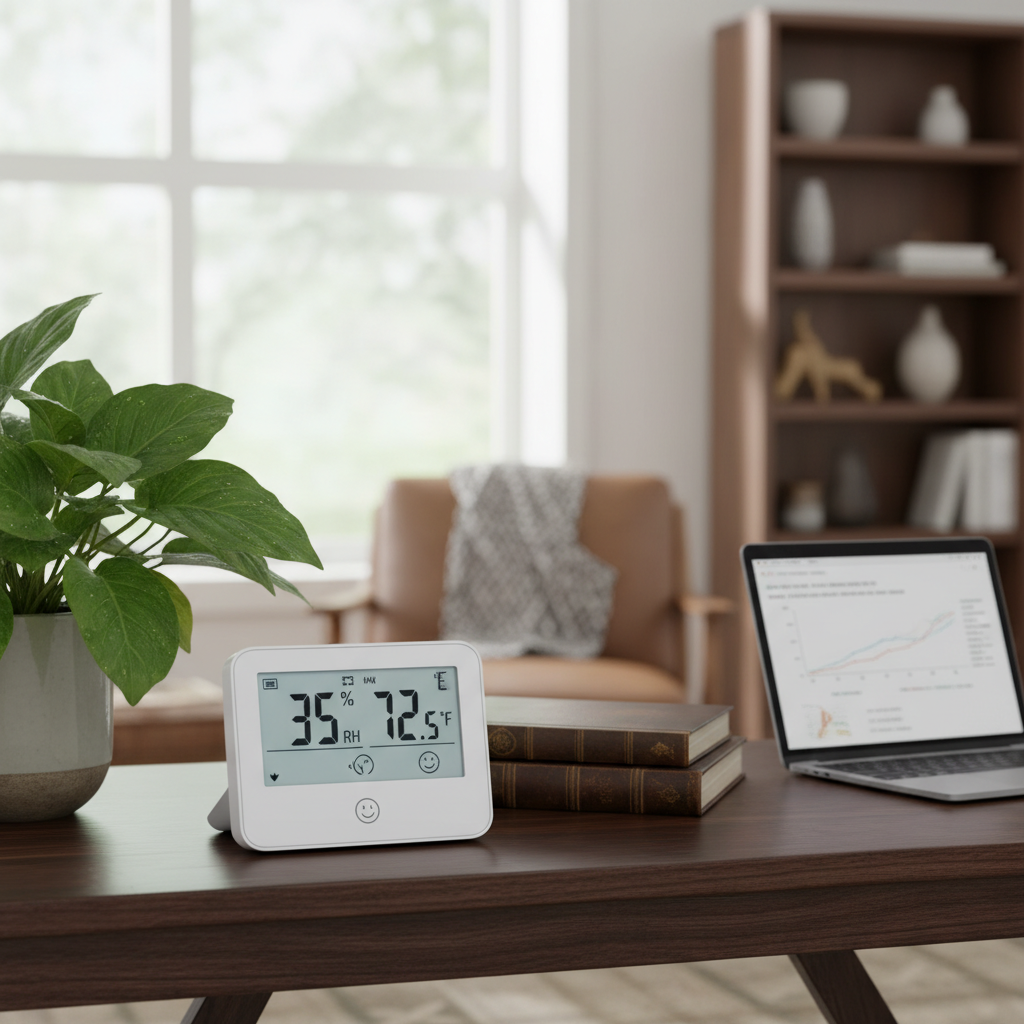
A digital hygrometer is an electronic device designed to measure the amount of water vapor in the air, commonly known as relative humidity. Unlike older analog models, digital versions provide fast, accurate readings displayed on a clear screen, often alongside temperature measurements. These devices typically use a sensor that detects changes in electrical resistance or capacitance due to moisture absorption, converting these changes into a humidity percentage.
The importance of monitoring humidity cannot be overstated. High humidity can foster the growth of mold, mildew, and dust mites, triggering allergies, asthma, and other respiratory issues. It can also lead to warped wood floors, damaged electronics, and a general feeling of stickiness and discomfort. Conversely, overly dry air can cause dry skin, irritated sinuses, static electricity, and damage to wooden instruments, furniture, and even delicate plants. A digital hygrometer allows you to continuously track these levels, empowering you to adjust humidifiers or dehumidifiers as needed to maintain a healthy and comfortable indoor climate.
Common Types of Digital Hygrometers
Digital hygrometers come in various forms, each suited for different preferences and applications in everyday use. Understanding their distinctions helps in choosing the right device for your specific needs.
Desktop Digital Hygrometer
Desktop hygrometers are designed for stationary use, typically placed on a flat surface like a table, shelf, or desk. They often feature large, easy-to-read displays and may include additional functionalities such as temperature readings, time, date, and comfort level indicators.
- Pros: Easy to read from a distance due to larger displays, often include multiple features, stable placement.
- Cons: Less portable than other types, requires dedicated surface space.
|
Our Picks for the Best Digital hygrometer in 2026
As an Amazon Associate I earn from qualifying purchases.
|
||
| Num | Product | Action |
|---|---|---|
| 1 | JEDEW 4 Pack Hygrometer Thermometer Digital Humidity Meter Indoor/Outdoor Humidity Monitor Reptile Thermo-Hygrometer for Greenhouse Humidors Terrarium Jars, Fahrenheit (℉) /Celsius(℃) (4) |

|
| 2 | Humidity Meter Indoor Thermometer 6-Pack Mini Digital Thermometer Hygrometer Indoor Temperature Humidity Meters Gauge LCD Display Fahrenheit (℉) for Greenhouse, Reptile Tank, Cellar, Closet |
|
| 3 | JEDEW 2 Pack Hygrometer Thermometer Digital Humidity Meter Indoor/Outdoor Humidity Monitor Reptile Thermo-Hygrometer for Greenhouse Humidors Terrarium Jars, Fahrenheit (℉) /Celsius(℃) (2) |
|
| 4 | TempPro TP49 Digital Hygrometer Indoor Thermometer Humidity Meter Room Thermometer with Temperature and Humidity Monitor Mini Hygrometer Outdoor Thermometer (Previously ThermoPro) |
|
| 5 | TempPro TP50 Digital Hygrometer Indoor Thermometer Room Thermometer and Humidity Gauge with Temperature Humidity Monitor(Previously ThermoPro) |
|
| 6 | 6-Pack Mini Hygrometer Indoor Humidity Meter, Mini Digital Thermometer Humidity Gauge Meter, Indoor Thermometer Hygrometer Monitor Fahrenheit (℉) for Reptile Thermostat, Jars Reptile, Fridge |
|
| 7 | Govee Bluetooth Hygrometer Thermometer, Large LCD, Max/Min Records, 2-Year Data Storage - Black, 2 Pack |
|
| 8 | TempPro TP49 3 Pieces Digital Hygrometer Indoor Thermometer Humidity Meter Mini Hygrometer with Temperature and Humidity Monitor Outdoor and Room Thermometer Weather Station (Previously ThermoPro) |
|
| 9 | Mini Hygrometer Thermometer Digital Humidity Meter Indoor/Outdoor Humidity Monitor Reptile Thermometer for Greenhouse Garden Cellar Fahrenheit(℉)/ Celsius(℃) 2 Pack |
|
| 10 | TempPro TP50 2 Pieces Digital Hygrometer Indoor Thermometer Room Thermometer and Humidity Gauge with Temperature Humidity Monitor(Previously ThermoPro) |
|
Wall-Mountable Digital Hygrometer
These hygrometers are designed to be hung on a wall, often with a built-in hook or magnetic backing. They are excellent for saving counter space and providing readings at eye level, making them convenient for quick checks as you move through a room.
- Pros: Space-saving, easy to observe, can often be integrated discreetly into room decor.
- Cons: Requires a fixed position, not easily moved between rooms, display size may vary.
Portable Digital Hygrometer
Small and lightweight, portable digital hygrometers are ideal for monitoring conditions in various locations or when traveling. Many mini versions can be moved effortlessly between rooms, placed in small enclosures like humidors or reptile tanks, or even carried in a pocket.
- Pros: Highly mobile and versatile, suitable for monitoring specific small environments, generally compact.
- Cons: May have smaller displays, sometimes fewer advanced features than larger models, potential for misplacement.
Best Digital Hygrometers for Everyday Use
Choosing the best digital hygrometer involves balancing accuracy, features, and ease of use. Here’s a comparison of some highly-rated models that excel in everyday household applications, offering reliable performance and practical benefits.
| Brand & Model | Price Range | Accuracy (Humidity) | Key Features | User Rating | Everyday Use Suitability |
|---|---|---|---|---|---|
| ThermoPro TP49 | $ | ±2-3% RH | 10-second refresh, comfort indicator (dry/comfort/wet), 18-month battery life | 4.6/5 | Excellent for general home monitoring, quick updates, long battery. |
| AcuRite 00613A1 | $ | ±2-3% RH | Enhanced accuracy, versatile mounting (clip, magnet, tabletop, wall), responsive | 4.5/5 | Highly versatile for placement, reliable readings, good for multiple rooms. |
| Govee H5051 Wi-Fi | $$$ | ±3% RH | Wi-Fi connectivity, app monitoring, alerts, data storage, multiple sensors | 4.4/5 | Best for smart home integration, remote monitoring, detailed data analysis. |
| SMARTRO SC42 | $$ | ±2-3% RH | Large LCD display, max/min records, backlight, C/F switchable, tabletop/magnet | 4.7/5 | Clear display, useful memory functions, good for easy visibility. |
| JEDEW 2-Pack Mini | $ | ±5% RH | Compact size, 2-pack value, simple display, LR44 battery | 4.3/5 | Ideal for small spaces, multiple monitoring points, budget-friendly. |
| ThermoPro TP50 | $ | ±2-3% RH | Air comfort indicator, compact, magnet/stand, 10-second refresh | 4.6/5 | Portable, basic yet effective, great value for monitoring individual rooms. |
“The subtle shifts in your home’s humidity can profoundly impact everything from your well-being to your possessions. A reliable digital hygrometer provides the data needed to proactively manage these conditions, transforming an invisible problem into an actionable insight.” – Dr. Emily R. Thorne, Environmental Health Specialist
Buying Guide: How to Choose the Right Digital Hygrometer
Selecting the perfect digital hygrometer involves considering several factors beyond just temperature and humidity readings. Here’s a detailed guide to help you make an informed decision tailored to your specific needs.
Determine Your Usage Needs
Before diving into features, consider where and how you plan to use the hygrometer.
- General Home Monitoring: For living rooms, bedrooms, or nurseries, a standard desktop or wall-mountable unit with a clear display and comfort indicator might suffice.
- Specific Areas: For sensitive environments like cigar humidors, instrument cases, or reptile terrariums, you’ll need a model known for high accuracy and potentially a more compact size.
- Remote Monitoring: If you want to check humidity levels while away from home, smart hygrometers with Wi-Fi or Bluetooth connectivity and app integration are essential.
- Multiple Locations: For monitoring several rooms or areas, a multi-pack of mini hygrometers or a system with multiple remote sensors would be beneficial.
Key Factors to Consider When Buying
Once your needs are clear, evaluate these technical and practical aspects:
Accuracy and Resolution
Look for hygrometers with a specified accuracy range, typically ±2-5% for humidity and ±1-2°F (±0.5-1°C) for temperature. Higher accuracy is crucial for sensitive applications like humidors. Resolution refers to the smallest change the device can detect (e.g., 0.1% RH).
Measurement Range
Ensure the device can measure within the expected humidity and temperature ranges of your environment. Most household hygrometers cover 10-99% RH and 32-122°F (0-50°C), which is suitable for typical indoor conditions.
Response Time
A quicker response time means the device updates readings more frequently, providing a real-time snapshot of conditions. Many good models update every 10 seconds.
Display and Readability
A large, clear LCD screen is vital, especially if you plan to view it from a distance. Backlighting is a significant plus for low-light conditions. Some displays also include comfort level indicators (e.g., “dry,” “comfort,” “wet” icons).
Power Source and Battery Life
Most digital hygrometers are battery-powered. Check the battery type (AAA, AA, LR44) and the advertised battery life. Longer battery life reduces the frequency of replacements, which is particularly important for remote sensors.
Mounting Options
Consider how you want to place the device. Common options include tabletop stands, magnetic backings (for refrigerators), wall-mount holes, or adhesive pads for mini units.
Smart Features and Connectivity
For advanced users, models with Bluetooth or Wi-Fi connectivity allow you to monitor readings, receive alerts, and log data via a smartphone app. This is excellent for long-term tracking and remote control.
Brand Reputation and Reviews
Stick to reputable brands known for quality and customer support. Read user reviews to gauge real-world performance, common issues, and overall satisfaction.
Budget Considerations
Digital hygrometers vary widely in price, typically ranging from under $10 to over $100 for smart, multi-sensor systems.
- Entry-Level ($10-20): Basic models offering essential humidity and temperature readings, often without advanced features. Good for single-room monitoring.
- Mid-Range ($20-50): Offer better accuracy, larger displays, some additional features like min/max records, and potentially better build quality.
- High-End ($50+): Includes smart features (Wi-Fi/Bluetooth), multiple remote sensors, advanced data logging, and superior accuracy, ideal for comprehensive home monitoring or specialized applications.
How to Use and Maintain Your Digital Hygrometer
Proper usage and maintenance can significantly extend the life and accuracy of your digital hygrometer.
Correct Placement
Place your hygrometer in a central location within the room or enclosure you want to monitor, away from direct sunlight, drafts, heat sources (like vents or electronics), and sources of moisture (like humidifiers or open windows). These factors can skew readings. For whole-house monitoring, having multiple units or a multi-sensor system is ideal.
Calibration
While many digital hygrometers come pre-calibrated, periodic re-calibration can ensure sustained accuracy. The “salt test” is a common DIY method:
- Place a tablespoon of table salt into a small cap.
- Add a few drops of water to moisten the salt, creating a thick paste (do not dissolve).
- Place the salt paste and the hygrometer inside a sealed plastic bag or airtight container.
- Wait 8-12 hours. The humidity inside the bag should stabilize at approximately 75% RH.
- If your hygrometer doesn’t read 75%, adjust it according to the manufacturer’s instructions, or note the deviation. Some models allow manual adjustment, while others are fixed.
Battery Replacement
Replace batteries promptly when the low-battery indicator appears to ensure continuous operation and prevent data loss. Use the recommended battery type.
Cleaning
Wipe the device occasionally with a soft, dry cloth to remove dust. Avoid using harsh chemicals or abrasive cleaners, which can damage the sensor or display. Keep the sensor area clear of obstructions.
Common Issues and Troubleshooting
Even reliable digital hygrometers can encounter issues. Here are some common problems and their solutions:
Inaccurate Readings
- Problem: Readings seem inconsistent or drastically different from expectations.
- Solution:
- Check Placement: Ensure the hygrometer is away from drafts, direct sun, or heat/moisture sources.
- Recalibrate: Perform a salt test to verify accuracy and adjust if possible.
- Battery Check: Low battery can affect sensor performance. Replace if necessary.
Blank or Faint Display
- Problem: The screen is dark, blank, or numbers are hard to read.
- Solution:
- Replace Batteries: This is the most common cause.
- Check Battery Orientation: Ensure batteries are inserted correctly.
- Temperature Extremes: Very cold or hot conditions can temporarily affect LCD displays. Allow the device to return to room temperature.
No Connectivity (for Smart Hygrometers)
- Problem: The device won’t connect to your phone app or Wi-Fi.
- Solution:
- Router Distance: Ensure the hygrometer is within range of your Wi-Fi router or Bluetooth device.
- App Permissions: Check that the app has necessary permissions on your phone.
- Reset Device/Router: Try restarting both the hygrometer and your Wi-Fi router.
- Firmware Update: Check if there are any firmware updates for the device through the app.
Stuck Readings
- Problem: Humidity or temperature readings don’t change for an extended period.
- Solution:
- Movement Test: Move the hygrometer to a different environment (e.g., a more humid bathroom) to see if readings respond. If not, the sensor might be faulty.
- Reset: Some devices have a reset button or can be reset by removing and reinserting batteries.
Conclusion
A digital hygrometer is an invaluable tool for creating and maintaining a comfortable, healthy, and protected indoor environment. Whether you’re safeguarding delicate belongings, managing allergies, or simply aiming for optimal comfort, the insights provided by these devices are essential. By understanding the different types, carefully considering key features, and following proper usage and maintenance guidelines, you can select the perfect digital hygrometer to meet your everyday needs and empower you to take control of your home’s microclimate. What changes will you make to your home environment once you have the precise humidity data at your fingertips?
Frequently Asked Questions
How accurate are digital hygrometers for home use?
Most digital hygrometers for home use offer accuracy within ±2-5% Relative Humidity (RH). While professional-grade devices provide tighter tolerances, this range is generally sufficient for monitoring typical indoor conditions and making informed adjustments with humidifiers or dehumidifiers.
How often should I check my home’s humidity?
For optimal health and home preservation, it’s beneficial to check your home’s humidity daily, especially during seasonal changes or if you notice discomfort. Smart hygrometers can provide continuous monitoring and alerts, making this task effortless.
Can a digital hygrometer also measure temperature?
Yes, the vast majority of digital hygrometers available today are thermo-hygrometers, meaning they measure both relative humidity and ambient temperature. This dual functionality provides a more comprehensive overview of your indoor climate.
Where is the best place to put a hygrometer?
Place your digital hygrometer in a central location within the room you wish to monitor, away from direct sunlight, heating/cooling vents, windows, and any sources of direct moisture or heat. This ensures it measures the ambient air accurately.
What is a good indoor humidity level?
For most homes, a relative humidity level between 40% and 60% is considered ideal. This range helps prevent mold growth, dust mites, dry skin, and damage to wooden items, contributing to overall comfort and health.