The air in your home, often overlooked, plays a silent yet significant role in your family’s health, comfort, and even the longevity of your cherished belongings. While temperature is easy to feel, humidity—the amount of moisture in the air—can subtly impact everything from your breathing to your wooden furniture. A digital hygrometer is your essential tool for revealing this invisible environmental factor, empowering you to maintain an optimal indoor atmosphere. This guide will walk you through everything you need to know about selecting the perfect digital hygrometer, ensuring you make an informed decision for a healthier, more comfortable living space.
What is a Digital Hygrometer and Why Do You Need One?
A digital hygrometer is an electronic device specifically designed to measure the amount of water vapor, or relative humidity (RH), in the air. Unlike traditional analog hygrometers, digital models employ advanced electronic sensors, typically resistive or capacitive, to detect minute changes in atmospheric moisture. As these sensors absorb or release water vapor, their electrical properties shift, which a built-in microprocessor then converts into precise numerical readings displayed on a clear screen, often alongside temperature data.
Monitoring humidity is crucial for several compelling reasons, directly affecting your health, property, and overall comfort. Maintaining optimal humidity levels, generally between 30% and 50% (or up to 60% according to some experts), is vital. When humidity is too low, you might experience dry skin, irritated sinuses, and increased static electricity. Conversely, excessive humidity creates an ideal breeding ground for mold, mildew, and dust mites, which can exacerbate allergies, asthma, and other respiratory issues, leading to an uncomfortable “sticky” feeling and potentially costly damage to your home.
Moreover, high humidity can cause wooden furniture, flooring, and musical instruments to warp, crack, or swell, while electronics can suffer from moisture damage. A digital hygrometer provides real-time data, allowing you to proactively adjust your environment using humidifiers, dehumidifiers, or ventilation systems. This proactive approach not only safeguards your health and valuables but can also contribute to better energy efficiency by optimizing the operation of your HVAC systems.
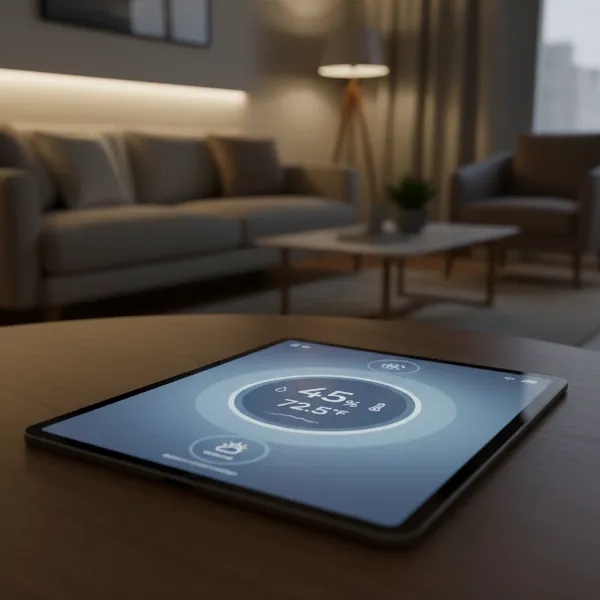
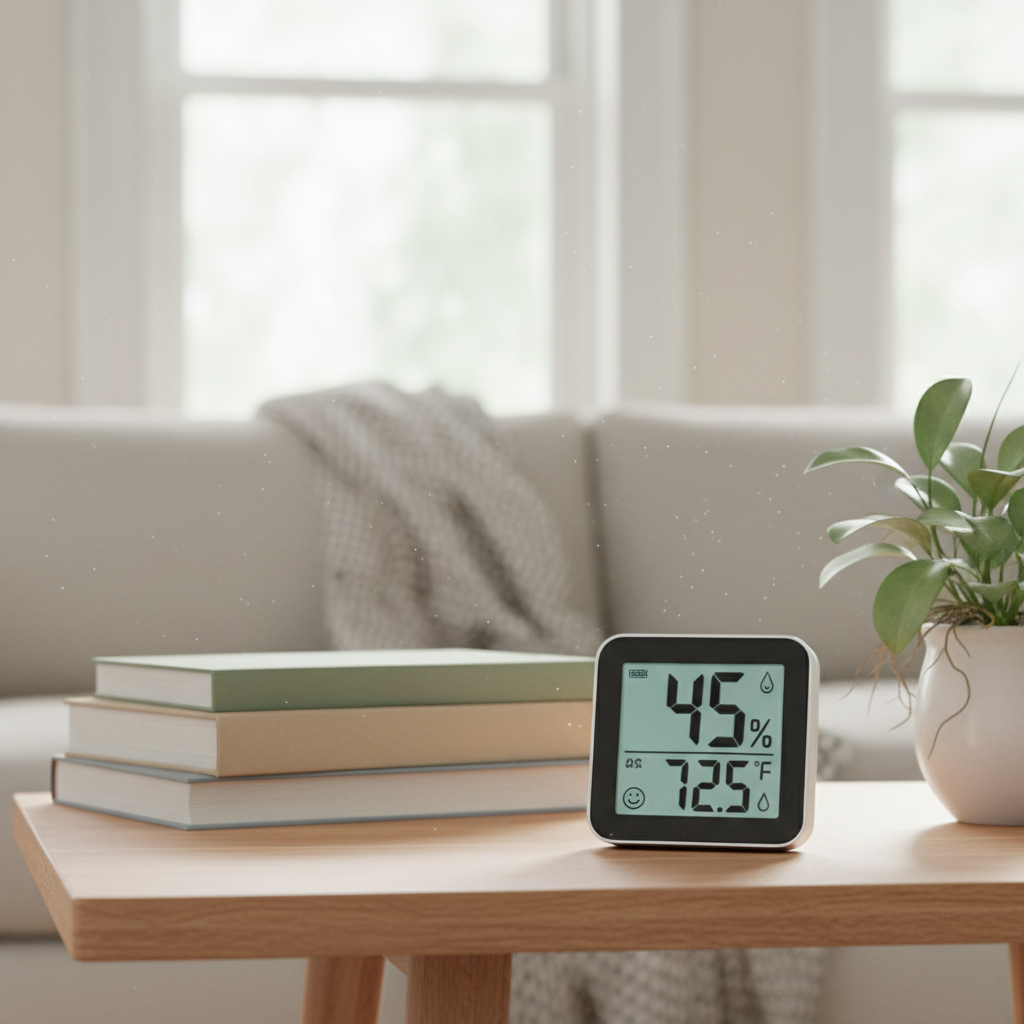
[image-1|digital-hygrometer-overview|A close-up of a modern digital hygrometer displaying humidity and temperature readings in a cozy home setting, with a subtle focus on the LCD screen and user-friendly interface. Realistic, bright lighting.|
A modern, sleek digital hygrometer prominently displaying current humidity (e.g., 45% RH) and temperature (e.g., 72°F) readings on its clear LCD screen. The device is placed on a wooden table in a well-lit living room, with blurred background elements like a houseplant and a comfortable sofa, suggesting a comfortable home environment. The focus is on the device’s screen and its intuitive design. Natural, warm lighting.]
Types of Digital Hygrometers for Home Use
Digital hygrometers come in various forms, each suited for different applications and user preferences. Understanding these types will help you narrow down the best choice for your specific needs.
Basic Desktop/Tabletop Digital Hygrometers
|
Our Picks for the Best Digital hygrometer in 2026
As an Amazon Associate I earn from qualifying purchases.
|
||
| Num | Product | Action |
|---|---|---|
| 1 | TempPro TP50 2 Pieces Digital Hygrometer Indoor Thermometer Room Thermometer and Humidity Gauge with Temperature Humidity Monitor(Previously ThermoPro) |

|
| 2 | Govee Bluetooth Hygrometer Thermometer, Large LCD, Max/Min Records, 2-Year Data Storage - Black, 2 Pack |
|
| 3 | JEDEW 4 Pack Hygrometer Thermometer Digital Humidity Meter Indoor/Outdoor Humidity Monitor Reptile Thermo-Hygrometer for Greenhouse Humidors Terrarium Jars, Fahrenheit (℉) /Celsius(℃) (4) |
|
| 4 | TempPro TP49 3 Pieces Digital Hygrometer Indoor Thermometer Humidity Meter Mini Hygrometer with Temperature and Humidity Monitor Outdoor and Room Thermometer Weather Station (Previously ThermoPro) |
|
| 5 | Mini Hygrometer Thermometer Digital Humidity Meter Indoor/Outdoor Humidity Monitor Reptile Thermometer for Greenhouse Garden Cellar Fahrenheit(℉)/ Celsius(℃) 2 Pack |
|
| 6 | TempPro TP50 Digital Hygrometer Indoor Thermometer Room Thermometer and Humidity Gauge with Temperature Humidity Monitor(Previously ThermoPro) |
|
| 7 | TempPro TP49 Digital Hygrometer Indoor Thermometer Humidity Meter Room Thermometer with Temperature and Humidity Monitor Mini Hygrometer Outdoor Thermometer (Previously ThermoPro) |
|
| 8 | Humidity Meter Indoor Thermometer 6-Pack Mini Digital Thermometer Hygrometer Indoor Temperature Humidity Meters Gauge LCD Display Fahrenheit (℉) for Greenhouse, Reptile Tank, Cellar, Closet |
|
| 9 | JEDEW 2 Pack Hygrometer Thermometer Digital Humidity Meter Indoor/Outdoor Humidity Monitor Reptile Thermo-Hygrometer for Greenhouse Humidors Terrarium Jars, Fahrenheit (℉) /Celsius(℃) (2) |
|
| 10 | 6-Pack Mini Hygrometer Indoor Humidity Meter, Mini Digital Thermometer Humidity Gauge Meter, Indoor Thermometer Hygrometer Monitor Fahrenheit (℉) for Reptile Thermostat, Jars Reptile, Fridge |
|
These are the most common and often the most affordable digital hygrometers, designed for convenient placement on any flat surface. They typically feature a clear, easy-to-read LCD display showing both humidity and temperature. Many models are compact and battery-powered, making them highly portable within a single room or between different areas of your home for spot-checking. While they may lack advanced connectivity, their simplicity and reliability make them excellent for general home monitoring. Examples include the ThermoPro TP49/TP50 and AcuRite 00613.
Smart/Connected Digital Hygrometers (Wi-Fi/Bluetooth)
For those who desire remote monitoring and data insights, smart hygrometers are an excellent option. These devices leverage Bluetooth or Wi-Fi technology to connect to a smartphone app, allowing you to view humidity and temperature readings from anywhere. Many smart models offer features like data logging, customizable alerts when levels fall outside a preset range, and historical data analysis. They are ideal for monitoring sensitive areas like basements, wine cellars, or nurseries, even when you’re away from home. Popular choices include the Govee H5051/H5075 and SensorPush HT.w.
Specialty/Portable Digital Hygrometers
Beyond general home use, some digital hygrometers are designed with specific applications in mind, or prioritize portability for on-the-go measurements. These might be smaller, more rugged, or tailored for environments like humidors, greenhouses, reptile enclosures, or even instrument cases. While often compact, they might have smaller displays or fewer general-purpose features than a typical desktop unit, focusing instead on accuracy and suitability for their intended niche. Multi-packs of mini hygrometers are also available for monitoring several distinct small spaces simultaneously.
Comparison of Popular Digital Hygrometer Models
To help you navigate the market, here’s a comparison of some highly-rated digital hygrometer models that cater to various needs and budgets.
| Brand/Model | Key Features | Accuracy (approx.) | Connectivity | Price Range (approx.) | Best For |
|---|---|---|---|---|---|
| ThermoPro TP49 | Compact, 10-sec refresh, comfort indicator, 18-month battery life. | ±2-3% RH | None | $10-$15 | Basic room monitoring, budget-conscious. |
| Govee H5051 Wi-Fi | Wi-Fi & Bluetooth, remote monitoring, app alerts, data logging, sleek design. | ±3% RH | Wi-Fi, BT | $30-$40 | Smart home integration, remote monitoring. |
| AcuRite 00613 | Pre-calibrated, simple, clear display, high/low records, battery indicator. | ±2-3% RH | None | $15-$20 | Reliable basic use, easy setup. |
| SensorPush HT.w | Professional-grade, high accuracy, long-range Bluetooth, detailed data logging. | ±1% RH | Bluetooth | $50-$60 | Precision monitoring, scientific applications. |
| ThermoPro TP55 | Jumbo touchscreen, backlight, high/low records, comfort indicator. | ±2-3% RH | None | $20-$25 | Large displays, at-a-glance readability. |
Note: Prices are approximate and subject to change.
Digital Hygrometer Buying Guide: Key Considerations
Choosing the right digital hygrometer involves evaluating your specific needs against the features available. A little planning can go a long way in finding the perfect device.
Identify Your Specific Needs
Before diving into features, consider where and why you need a hygrometer. Are you trying to monitor a single bedroom for general comfort, track humidity in a dedicated grow tent, or keep an eye on a potentially damp basement from afar?
- Location: Will it be for a small, stable environment like a humidor, a dynamic space like a living room, or a fluctuating area like a garage?
- Required Accuracy: For general comfort, a standard ±3% RH accuracy is usually sufficient. However, for sensitive items like musical instruments, cigars, or scientific experiments, you might need a more precise device (e.g., ±1% RH).
- Additional Features: Do you need alarms for critical humidity changes, data logging to track trends, or remote access to check conditions when you’re not home?
Essential Features to Look For
Once you understand your needs, focus on these critical features when comparing models:
- Accuracy and Resolution: Look for devices with an accuracy range of ±2% to ±3% Relative Humidity (RH) for most home applications. Higher resolution (e.g., 0.1% RH) offers more granular data.
- Measurement Range: Ensure the device can measure across the full spectrum of possible humidity levels, ideally 0% to 100% RH, and a wide temperature range if it also measures temperature.
- Response Time: A faster refresh rate (e.g., every 10 seconds) provides more real-time information, which is useful in rapidly changing environments.
- Display: A large, clear, backlit LCD screen improves readability, especially in low-light conditions or from a distance.
- Connectivity (for Smart Models): Bluetooth is good for local monitoring within a limited range (e.g., up to 200 ft), while Wi-Fi offers true remote monitoring from anywhere with internet access.
- Battery Life: For wireless devices, longer battery life (12-18 months) means less frequent replacements and greater convenience.
- Calibration: Some advanced hygrometers allow manual calibration, which can help maintain accuracy over time.
- Brand Reputation and Reviews: Opt for reputable brands with positive user reviews for reliability and customer support.
Budgeting for Your Hygrometer
Digital hygrometers are available at various price points, offering different levels of features and sophistication:
- Basic Models ($10-$25): These are simple, reliable, and typically offer temperature and humidity readings with a decent display. Excellent for general monitoring in one or two rooms.
- Mid-Range Models ($25-$50): Often include Bluetooth connectivity, better displays, and sometimes high/low record tracking. Ideal for those who want a bit more functionality without breaking the bank.
- Advanced/Professional Models ($50+): These usually boast Wi-Fi connectivity, app integration with detailed data logging and alerts, and higher accuracy. Best for critical applications or users who want comprehensive remote monitoring.
“A common misconception is that all hygrometers are equally accurate. While many consumer models offer good reliability, investing in a slightly higher-priced unit can yield significantly better precision, especially for critical environments like humidors or spaces preserving delicate items.” – Dr. Eleanor Vance, Environmental Scientist specializing in Indoor Air Quality.
How to Use and Maintain Your Digital Hygrometer
Getting the most out of your digital hygrometer involves proper usage and regular maintenance. A well-cared-for device will provide accurate readings for years.
Proper Placement
For the most accurate readings, strategic placement is key. Place your hygrometer about three to four feet off the ground, roughly at chest height. Avoid putting it directly in sunlight, near air vents, windows, doors, or directly next to humidifiers or dehumidifiers, as these can give skewed readings. The goal is to measure the ambient air of the space, not a localized microclimate. If you’re monitoring multiple rooms, consider a multi-sensor system or moving a portable unit periodically.
Initial Setup and Usage
Upon receiving your new hygrometer, install the batteries (if applicable) and allow the device a few minutes (e.g., 3 to 10 minutes) to acclimate to the environment before taking the first reading. This “stabilization period” ensures the sensors have properly adjusted. Most digital hygrometers are straightforward: simply read the percentage displayed for relative humidity and the associated temperature.
Maintenance Tips
- Battery Replacement: Most digital hygrometers are battery-powered. Pay attention to low battery indicators and replace batteries promptly to ensure continuous accurate operation.
- Cleaning: Keep the device clean and free from dust buildup, especially around the sensor area. Use a soft, dry cloth. Avoid harsh chemicals or getting the device wet, as this can damage the sensitive electronics.
- Calibration: While many digital hygrometers are pre-calibrated, some professional or higher-end models allow for manual calibration. If you suspect inaccuracy, a simple “salt test” can be performed at home to check its calibration. Follow your manufacturer’s specific instructions for calibration.
- Avoid Extreme Conditions: Do not expose your hygrometer to temperatures or humidity levels outside its specified operating range, as this can permanently damage the sensors.
[image-2|hygrometer-placement-maintenance|An illustrative infographic showing proper placement of a digital hygrometer in a home, with icons for good and bad locations, alongside cleaning and battery maintenance tips. Infographic style, clean, clear.|
A clear, clean infographic-style image illustrating the do’s and don’ts of digital hygrometer placement. On one side, a hand places a hygrometer on a shelf 3-4 feet high, away from a window or vent (good placement). On the other, a crossed-out image shows a hygrometer placed directly on a windowsill or next to an air conditioner (bad placement). Below, small icons depict cleaning with a soft cloth and replacing batteries, representing maintenance tips. Modern, illustrative style with clear, simple graphics.]
Common Issues and Troubleshooting
Even with the best digital hygrometers, you might encounter minor issues. Here are some common problems and straightforward ways to troubleshoot them.
Inaccurate or Inconsistent Readings
- Incorrect Placement: This is the most frequent cause. Ensure the hygrometer is placed in an open area, away from direct heat sources, drafts, or concentrated moisture (like near a shower or humidifier).
- Sensor Contamination/Aging: Over time, sensors can become less accurate due to dust, dirt, or natural aging. If your device supports calibration, try recalibrating it. Otherwise, consider cleaning the sensor area carefully or, if it’s an older unit, replacing it.
- Low Battery: A weak battery can affect sensor performance. Replace the batteries with fresh ones.
- Temperature Fluctuations: Rapid temperature changes can temporarily affect humidity readings. Give the device time to stabilize in its new environment.
Display Problems
- Blank or Fading Display: This almost always indicates low batteries. Replace them immediately.
- Segmented or Incomplete Digits: If parts of the display are missing, it might also be a battery issue. If new batteries don’t resolve it, the unit might have internal damage.
- Frozen Readings: If the numbers aren’t updating, try removing and reinserting the batteries to reset the device.
Connectivity Issues (for Smart Hygrometers)
- Out of Range: For Bluetooth models, ensure your smartphone is within the specified range. For Wi-Fi models, check if the device is within your Wi-Fi network’s coverage.
- Interference: Other electronic devices, thick walls, or large metal objects can interfere with wireless signals. Try moving the hygrometer or the receiving device.
- App/Firmware Issues: Ensure your smartphone app is updated to the latest version. Sometimes, a firmware update for the hygrometer itself is needed, which can usually be done through the app.
- Network Problems: Verify your home Wi-Fi network is active and stable. Restarting your router can sometimes resolve connectivity glitches.
Conclusion
Choosing the right digital hygrometer is a small step that can lead to significant improvements in your home environment. By understanding what these devices do, exploring the different types available, and considering key features like accuracy, display, and connectivity, you’re well-equipped to make an informed decision. From safeguarding your family’s health by preventing mold and allergens to protecting valuable possessions from moisture damage, monitoring indoor humidity offers tangible benefits. With the insights from this guide, you can confidently select a digital hygrometer that perfectly aligns with your needs and helps you maintain a truly comfortable and healthy living space.
What aspects of your home environment are you most eager to optimize with a new digital hygrometer?
Câu Hỏi Thường Gặp
What is the ideal humidity level for a home?
The ideal relative humidity for a home generally falls between 30% and 50%. Some experts extend this to 40-60%. Maintaining this range helps prevent issues like mold growth, dust mites, dry skin, and damage to wooden furnishings, ensuring both comfort and health.
How often should I check my digital hygrometer?
For basic monitoring, checking your hygrometer a few times a day is sufficient. If you have smart hygrometers with app alerts, you can rely on notifications for significant changes. For sensitive environments or during extreme weather, more frequent checks are advisable.
Can a digital hygrometer measure outdoor humidity?
Some digital hygrometers are designed with remote sensors that can be placed outdoors to measure external humidity and temperature, transmitting data to an indoor display. Standard indoor models, however, are typically not weather-resistant enough for outdoor use.
How accurate are digital hygrometers?
Most consumer-grade digital hygrometers offer an accuracy of ±2% to ±3% Relative Humidity (RH). Higher-end or professional models can achieve greater precision, sometimes as low as ±1% RH. Accuracy can be affected by placement and battery life.
Do digital hygrometers need calibration?
Many basic digital hygrometers come pre-calibrated and do not require user calibration. However, some advanced models allow for manual calibration, which can be useful to maintain long-term accuracy, often using a “salt test” method. Check your device’s manual for specific instructions.