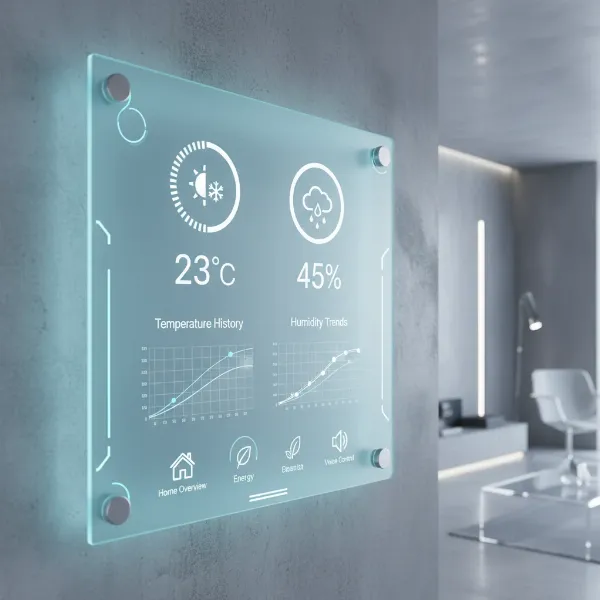
Humidity is an unseen force that profoundly impacts our comfort, health, and even the structural integrity of our homes and cherished belongings. While we often focus on temperature, neglecting humidity can lead to a myriad of issues, from respiratory discomfort and dry skin to mold growth and damaged wooden furniture. But how do you monitor something you can’t see? The answer lies in a powerful, compact device: the digital hygrometer. This comprehensive guide will explore why a digital hygrometer is an invaluable tool for any homeowner, delve into its various types, compare top models, offer a detailed buying guide, and provide essential tips for usage and troubleshooting, ensuring you can master your indoor climate.
What is a Digital Hygrometer? Why Do You Need One?
A digital hygrometer is an electronic instrument engineered to measure the relative humidity (RH) in the air, typically displayed as a percentage. Relative humidity represents the amount of water vapor present in the air compared to the maximum amount the air can hold at a given temperature. At its core, a digital hygrometer utilizes electronic sensors—either resistive or capacitive—that react to the moisture in the surrounding air. As these sensors absorb or release water vapor, their electrical properties (resistance or capacitance) change. The device then converts these changes into a precise digital reading that is easily viewable on its display.
Understanding and managing humidity levels is crucial for several compelling reasons:
- Respiratory Health: Low humidity can irritate mucous membranes in the nose, throat, and lungs, leading to dry coughs, sore throats, and increased susceptibility to airborne viruses like the common cold and flu. Conversely, overly high humidity fosters an environment where mold, dust mites, and bacteria thrive, triggering allergies and worsening respiratory conditions.
- Skin and Comfort: Dry air strips moisture from your skin, causing dryness, chapped lips, and exacerbating conditions like eczema. Maintaining optimal humidity helps retain skin moisture, making your living space feel more comfortable without needing to drastically alter the thermostat.
- Protection for Your Home and Valuables: Wooden furniture, floors, musical instruments, and even structural elements of your home can suffer from extreme humidity. Low humidity causes wood to shrink, crack, or warp, while high humidity can lead to mold, mildew, and decay. A digital hygrometer helps safeguard these investments and prevents costly damage.
- Electronics and Static Electricity: Dry air increases static electricity, which can be detrimental to sensitive electronics. Proper humidity levels help mitigate this risk.
Experts generally recommend maintaining indoor relative humidity levels between 30% and 60%, with many considering 40-60% as the ideal range for both health and comfort. A digital hygrometer provides the real-time data you need to adjust humidifiers or dehumidifiers and keep your environment perfectly balanced.
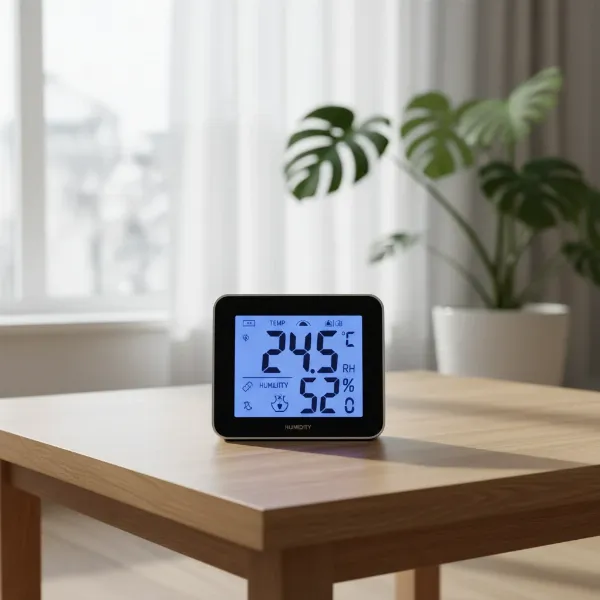 Digital hygrometer displaying temperature and humidity in a modern home setting
Popular Types of Digital Hygrometers
Digital hygrometers, while sharing the core function of measuring humidity, come in various forms, each designed to suit different needs and environments. They generally offer superior accuracy, faster response times, and a wider array of features compared to their analog counterparts.
Desktop Digital Hygrometers
These are perhaps the most common type for household use, designed for stationary placement on a table, shelf, or desk.
- Advantages:
- Easy-to-Read Displays: Often feature large LCD screens with clear digits, sometimes backlit for visibility in low light.
- Multiple Features: Many models integrate additional functions such as temperature measurement (making them thermo-hygrometers), min/max records, comfort level indicators (dry/comfort/wet), and even time or calendar displays.
- Versatile Placement: Can be placed virtually anywhere a stable flat surface is available.
- Disadvantages:
- Less Portable: While not impossible to move, they are primarily designed for fixed monitoring in a specific room.
- Battery Dependence: Most run on standard AAA or AA batteries, requiring periodic replacement.
|
Our Picks for the Best Digital hygrometer in 2026
As an Amazon Associate I earn from qualifying purchases.
|
||
| Num | Product | Action |
|---|---|---|
| 1 | TempPro TP50 Digital Hygrometer Indoor Thermometer Room Thermometer and Humidity Gauge with Temperature Humidity Monitor(Previously ThermoPro) |

|
| 2 | TempPro TP49 Digital Hygrometer Indoor Thermometer Humidity Meter Room Thermometer with Temperature and Humidity Monitor Mini Hygrometer Outdoor Thermometer (Previously ThermoPro) |
|
| 3 | 6-Pack Mini Hygrometer Indoor Humidity Meter, Mini Digital Thermometer Humidity Gauge Meter, Indoor Thermometer Hygrometer Monitor Fahrenheit (℉) for Reptile Thermostat, Jars Reptile, Fridge |
|
| 4 | Humidity Meter Indoor Thermometer 6-Pack Mini Digital Thermometer Hygrometer Indoor Temperature Humidity Meters Gauge LCD Display Fahrenheit (℉) for Greenhouse, Reptile Tank, Cellar, Closet |
|
| 5 | JEDEW 4 Pack Hygrometer Thermometer Digital Humidity Meter Indoor/Outdoor Humidity Monitor Reptile Thermo-Hygrometer for Greenhouse Humidors Terrarium Jars, Fahrenheit (℉) /Celsius(℃) (4) |
|
| 6 | JEDEW 2 Pack Hygrometer Thermometer Digital Humidity Meter Indoor/Outdoor Humidity Monitor Reptile Thermo-Hygrometer for Greenhouse Humidors Terrarium Jars, Fahrenheit (℉) /Celsius(℃) (2) |
|
| 7 | Govee Bluetooth Hygrometer Thermometer, Large LCD, Max/Min Records, 2-Year Data Storage - Black, 2 Pack |
|
| 8 | TempPro TP50 2 Pieces Digital Hygrometer Indoor Thermometer Room Thermometer and Humidity Gauge with Temperature Humidity Monitor(Previously ThermoPro) |
|
| 9 | Mini Hygrometer Thermometer Digital Humidity Meter Indoor/Outdoor Humidity Monitor Reptile Thermometer for Greenhouse Garden Cellar Fahrenheit(℉)/ Celsius(℃) 2 Pack |
|
| 10 | TempPro TP49 3 Pieces Digital Hygrometer Indoor Thermometer Humidity Meter Mini Hygrometer with Temperature and Humidity Monitor Outdoor and Room Thermometer Weather Station (Previously ThermoPro) |
|
Wall-Mounted Digital Hygrometers
Similar in function to desktop models, these hygrometers are designed to be affixed to a wall, often using magnets or adhesive.
- Advantages:
- Space-Saving: Frees up surface area and integrates seamlessly into a room’s decor.
- Easy Observation: Positioned at eye-level, they offer convenient monitoring of conditions from a distance.
- Stable Readings: Once placed, they provide consistent readings for a designated area.
- Disadvantages:
- Fixed Position: Not ideal if you need to frequently move the device to different locations.
- Installation: Requires semi-permanent attachment to a surface.
Handheld Digital Hygrometers
These compact and lightweight devices prioritize portability, allowing users to take quick, on-the-spot measurements in various locations.
- Advantages:
- High Mobility: Easily carried from room to room, or even for outdoor spot checks, humidors, or plant enclosures.
- Versatile Applications: Ideal for specific humidity-sensitive items like cigars, musical instruments, or evaluating different parts of a larger space.
- Disadvantages:
- Smaller Displays: Often have more compact screens, which can be less elaborate than desktop units.
- Fewer Features: May offer fewer advanced features like extensive data logging or smart connectivity in basic models.
- Battery Life: Due to their compact size, some may have shorter battery life compared to larger units.
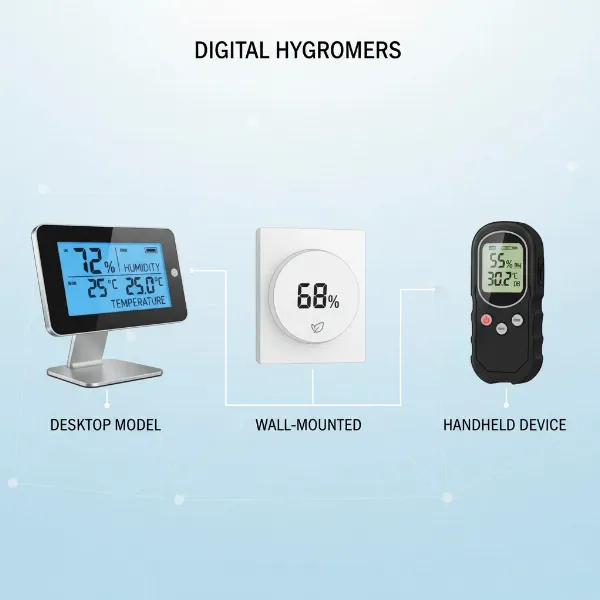 Assortment of digital hygrometers including desktop, wall-mounted, and handheld models
Comparison Table of Popular Digital Hygrometers
Choosing the “best” digital hygrometer depends heavily on individual needs, but several models consistently receive high praise for their accuracy, features, and reliability. Here’s a comparison of common types and what they typically offer:
| Feature | ThermoPro TP49/TP55 (Example) | Govee H5051/H5075 (Example) | AcuRite 00613 (Example) | SensorPush HT.w (Example) | JEDEW 2-Pack Mini (Example) |
|---|---|---|---|---|---|
| Brand Focus | General Home Use, Clear Display | Smart Home Integration | Basic Home Monitoring, Versatility | High Precision, Data Logging | Budget-Friendly, Portable |
| Accuracy (RH) | ±2-3% | ±3% | ±3-5% | ±2% | ±5% |
| Key Features | Temp, Comfort Indicator, Backlight, Min/Max | Wi-Fi/Bluetooth, App Alerts, Data Logging, Graphing | Temp, 24hr High/Low, Comfort Icon | Bluetooth, App, Alerts, Data Export, Dew Point | Temp, Small Size, Fast Refresh |
| Connectivity | None (TP49) / Bluetooth (TP357) | Wi-Fi & Bluetooth | None | Bluetooth (with optional Wi-Fi gateway) | None |
| Mounting | Magnetic, Tabletop, Wall | Stand, Hang, Wall | Clip, Magnet, Kickstand | Stand, Mounting Plate, Adhesive | Stand |
| Price Range | Low to Mid ($10-$25) | Mid to High ($25-$60+) | Low to Mid ($15-$30) | High ($40-$80+) | Very Low ($10-$20 for 2-pack) |
| User Reviews | Praised for ease of use, clear display | Highly rated for smart features and app functionality | Mixed, some report less precise readings | Excellent for precision and remote monitoring | Good value, ideal for small spaces |
Digital Hygrometer Buying Guide
Navigating the market for a digital hygrometer can feel daunting with countless options available. By focusing on your specific needs and key device features, you can confidently select the perfect tool to monitor your indoor environment.
Determine Your Needs
Before even looking at products, consider what you truly require from a digital hygrometer:
- Where Will You Measure? Are you monitoring humidity in a single room, multiple rooms, or a specialized environment like a cigar humidor, greenhouse, or wine cellar? For multiple locations, a multi-sensor system or several individual units might be necessary.
- Required Accuracy: For general home comfort, an accuracy of ±3-5% RH is usually sufficient. However, for critical applications like preserving musical instruments, cigars, or sensitive plant cultivation, aim for devices with ±1-2% RH accuracy.
- Essential Features: Do you need basic humidity and temperature readings, or do you require advanced functionalities? Think about features like high/low records, comfort indicators, backlights, audible alarms for out-of-range conditions, data logging to track trends over time, or smart connectivity (Bluetooth/Wi-Fi) for remote monitoring via a smartphone app.
Key Factors to Consider When Selecting
Once your needs are clear, evaluate these technical specifications and features:
- Accuracy and Resolution: This is paramount. Look for models that explicitly state their accuracy range (e.g., ±2% RH). Resolution refers to how finely the device displays readings (e.g., whole numbers vs. decimal points). Higher resolution generally means more precise monitoring.
- Measurement Range: Ensure the hygrometer can measure across the humidity levels you expect in your environment, typically between 20% and 90% RH for most homes.
- Response Time: How quickly does the device update its readings? A faster refresh rate (e.g., every 10 seconds) provides more immediate feedback on changes in humidity.
- Battery Life (for Wireless Models): If you opt for a wireless or smart hygrometer, battery longevity is a critical factor. Some high-quality models can last 1-2 years on a single set of batteries.
- Display: A clear, easy-to-read display with large digits is essential. A backlight can be a significant advantage for checking readings in dimly lit spaces.
- Brand and User Reviews: Reputable brands often indicate better quality control and customer support. Always check user reviews for real-world performance insights and potential quirks of a product.
Budget
Digital hygrometers come at various price points, generally reflecting their feature set and accuracy:
- Entry-Level (Under $20): These are typically basic models offering core humidity and temperature readings. They are excellent for general ambient monitoring in a single room.
- Mid-Range ($20-$50): This segment provides better accuracy, more robust build quality, and additional features like backlights, min/max records, and sometimes basic Bluetooth connectivity.
- High-End ($50+): These devices offer the highest precision, advanced smart features (Wi-Fi, comprehensive apps, data logging, analytics), and often superior durability. They are ideal for enthusiasts or those requiring precise environmental control.
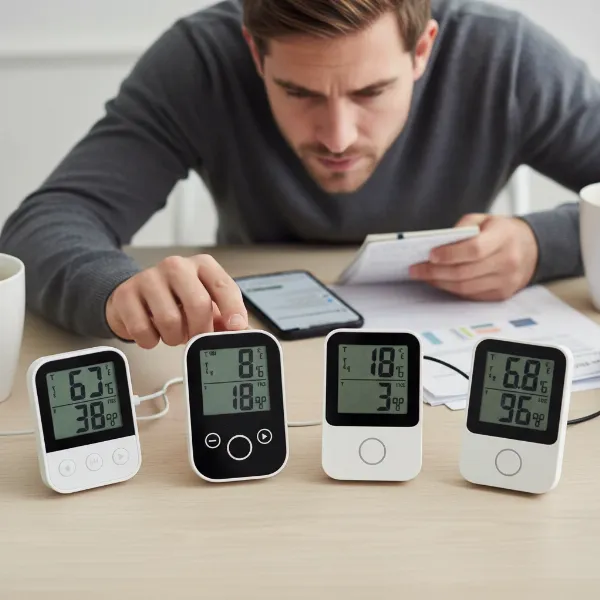 Person comparing digital hygrometers for purchase, highlighting features
How to Use and Maintain Your Digital Hygrometer
Getting accurate readings and ensuring the longevity of your digital hygrometer requires proper usage and regular maintenance.
How to Use Your Digital Hygrometer
- Placement is Key: Position your digital hygrometer strategically. It should be approximately 1 meter (3.3 feet) from the ground, away from direct sunlight, heating or cooling vents, windows (which can cause drafts), and direct moisture sources (like humidifiers or open water). Placing it in an area with good, unobstructed airflow will provide the most representative readings of the room’s overall humidity. Avoid corners, behind furniture, or near electronics that generate heat, as these spots can give skewed results.
- Allow for Stabilization: When you first place a new hygrometer or move it to a different environment, give it time to acclimate. Depending on the device and the environment, this could range from 3 to 12 hours for the readings to stabilize and become accurate.
- Reading the Display: Most digital hygrometers provide direct, easy-to-read numerical displays of relative humidity. Many also show the temperature, and some include helpful indicators like “Dry,” “Comfort,” or “Wet” to quickly gauge your environment.
How to Maintain Your Digital Hygrometer
Regular maintenance helps preserve your device’s accuracy and extends its lifespan:
-
Keep it Clean: Dust and dirt can accumulate on the sensor, affecting its performance and accuracy. Gently clean the hygrometer regularly with a soft, dry cloth. Avoid touching the sensing element directly with your bare hands, as oils and contaminants can interfere with readings. Do not use harsh chemicals.
-
Monitor Battery Levels: For electronic devices, low battery power is a common culprit for erratic or inaccurate readings. Check battery indicators regularly and replace batteries as soon as they get low, following the manufacturer’s recommendations.
-
Recalibrate Periodically: Over time, all sensors can experience “drift,” leading to slight inaccuracies. It’s recommended to recalibrate your digital hygrometer every six months to ensure it remains precise.
- The Salt Test Method: This is a widely accepted and reliable method for calibration.
- Place a small amount of regular table salt into a bottle cap or small dish.
- Add just enough water to dampen the salt, creating a moist paste, but do not dissolve it into a liquid.
- Place the salt mixture and your hygrometer together inside a sealed plastic bag or airtight container. Ensure the hygrometer does not touch the salt solution.
- Seal the bag and leave it undisturbed at a constant room temperature for 8 to 12 hours (some sources suggest 24 hours). Inside this sealed environment, the relative humidity will naturally stabilize at 75% RH.
- After the waiting period, read your hygrometer while it’s still inside the bag.
- If your hygrometer has a calibration button, adjust it to read 75%. If not, simply note the difference (e.g., if it reads 72%, it’s -3%; if it reads 78%, it’s +3%). You’ll then mentally add or subtract this offset to all future readings.
- Boveda Calibration Kit: For a simpler approach, pre-made Boveda calibration kits offer a convenient way to establish a precise 75% RH environment in a sealed bag.
- The Salt Test Method: This is a widely accepted and reliable method for calibration.
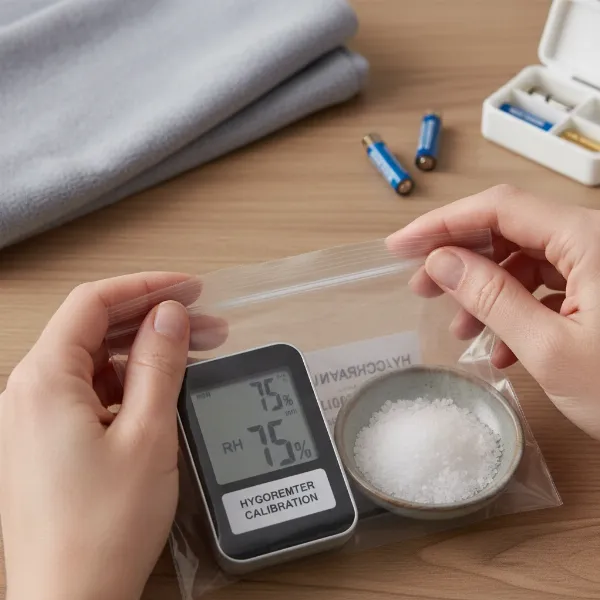 Person performing a salt test for hygrometer calibration, with maintenance tools nearby
Common Problems and Troubleshooting
Even with the best digital hygrometer, you might occasionally encounter issues. Knowing how to diagnose and fix common problems can save you time and ensure continuous, accurate monitoring.
Inaccurate or Inconsistent Readings
This is the most frequent concern users have with their hygrometers.
- Causes:
- Low Battery: Insufficient power can lead to erratic or incorrect readings.
- Sensor Drift: All sensors can naturally drift over time, losing their initial calibration.
- Improper Placement: Placing the device near heat sources (radiators, electronics), cooling vents, direct sunlight, or in areas with poor airflow can significantly skew readings. Drafts or extreme temperature differences can also impact accuracy.
- Sensor Contamination: Dust, dirt, or oils from touching the sensor can interfere with its ability to accurately detect moisture.
- Solutions:
- Replace Batteries: If your device has a low battery indicator or is behaving erratically, start by replacing the batteries.
- Recalibrate: Perform a salt test (as described in the Maintenance section) every 6 months to correct any sensor drift.
- Relocate the Device: Move the hygrometer to a more stable central location in the room, away from environmental extremes or obstructions. Ensure it has adequate airflow around it.
- Clean the Sensor: Gently clean the device and its sensor area with a soft, dry cloth, being careful not to touch the delicate sensor itself.
No Display or Device Not Turning On
A blank screen can be frustrating, but often has a simple solution.
- Causes:
- Dead Batteries: The most common reason for a device not powering on.
- Device Malfunction: Less common, but possible for the unit to be faulty.
- Solutions:
- Replace Batteries: Insert fresh batteries, ensuring they are correctly oriented according to the device’s polarity markings.
- Consult Manual/Manufacturer: If new batteries don’t resolve the issue, refer to your device’s user manual for specific troubleshooting steps or contact customer support.
Connectivity Issues (for Smart Hygrometers)
If your Bluetooth or Wi-Fi enabled hygrometer isn’t connecting to its app or reporting data.
- Causes:
- Out of Range: Bluetooth devices have a limited range, and Wi-Fi signals can be blocked by walls or other interference.
- App Glitch: The companion smartphone application might be experiencing a temporary error.
- Network Issues: Your home Wi-Fi network might be down or unstable.
- Solutions:
- Check Range: Ensure your smartphone or Wi-Fi gateway is within the specified range of the hygrometer.
- Restart Devices: Try restarting both your hygrometer and your smartphone (or Wi-Fi router).
- Re-pair Device: Follow the app’s instructions to re-pair the hygrometer if necessary.
- Check App Updates: Ensure your app is updated to the latest version.
Readings Out of Range (“–“)
Some digital hygrometers will display dashes instead of a numerical reading if humidity or temperature falls outside their measurable range.
- Causes:
- Extreme Conditions: The environment is too dry, too humid, too hot, or too cold for the device’s sensors.
- Solutions:
- This is often normal operation, indicating conditions are outside the specified working range of the device. If the readings persist after returning to normal conditions, consider recalibration or checking for other issues.
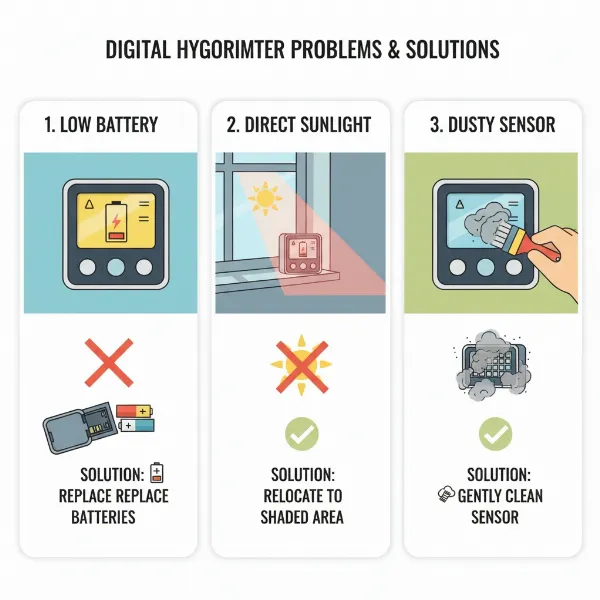 Illustration showing common hygrometer problems like low battery or incorrect placement, with corresponding solutions
Conclusion
The journey to a more comfortable, healthier home often begins with understanding the unseen elements that impact our living spaces. A digital hygrometer, far from being a mere gadget, is a worthwhile investment that empowers you with accurate, real-time data about your indoor climate. By providing precise measurements of relative humidity, these devices enable you to proactively manage your environment, protecting your health, preserving your valuables, and enhancing overall comfort. Whether you’re safeguarding a precious guitar, preventing mold growth, or simply seeking relief from dry air, a digital hygrometer serves as your vigilant guardian, ensuring optimal conditions. Take control of your indoor atmosphere with this indispensable tool, transforming your house into a haven of balanced air. How will you take control of your indoor climate today?
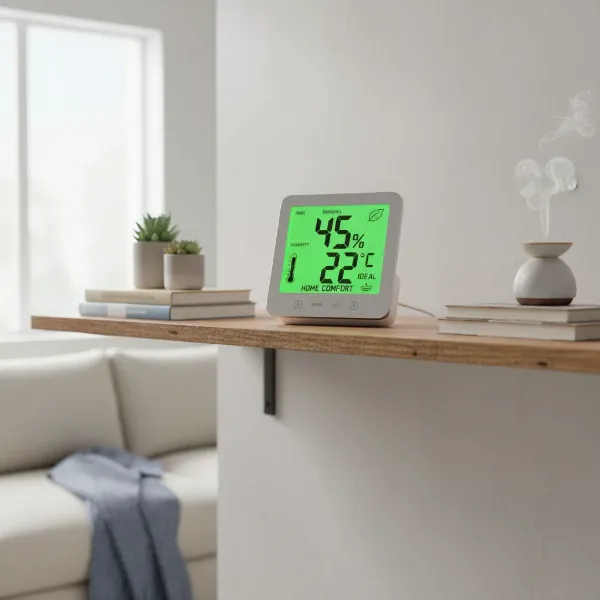 A digital hygrometer prominently displayed in a well-maintained home, symbolizing control and comfort
Frequently Asked Questions
Are digital hygrometers generally accurate?
Yes, digital hygrometers are generally quite accurate, typically providing readings within a ±1-3% relative humidity (RH) margin of error. They are often more precise and respond faster to changes than traditional analog hygrometers, making them reliable for most household and specialized applications.